
The Symbol > Import File command allows you to import an existing SVG-formatted symbol into the symbol editor. The SVG (Scalable Vector Graphics) format is an open, xml-based web standard graphics format supported by many third-party tools.
To import an SVG (.svg) file when creating a new symbol definition do the following:
- From the Project Manager window, right-click Definitions > Symbols in the appropriate project and select Add Definition.
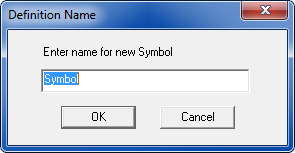
- In the Definition Name window, enter a name for the new symbol and click OK to open a new blank Symbol Editor window.
- From the main menu bar, select Symbol > Import File and choose an existing .svg symbol file to import it into the symbol editor. A window opens advising that importing the .svg file removes any existing symbol graphics in the editor, and asking for confirmation to continue the import.
- There is no “Undo” for the import operation. Consequently if you make a mistake on import, you must close the project without saving, then reopen it to recover.
- Currently .svg symbols can be imported into any symbol editor window - including those containing pre-existing component symbols in which case the current symbol in the editor is replaced by the imported symbol, so ensure that you import the symbol in the appropriate place.
- Click OK to import the .svg symbol for further editing, or Cancel to abort the operation. Once the new symbol has been created, attach it to a component via the Property Display Setup command.
Note: