
Twin Builder Options: Port Options
The Port Options section lets you set up the lists of source and impedance components used for interface ports. The Domain determines whether the Sources and Impedances controls are enabled. For Conservative, both sources and impedances controls are enabled. For Quantity and Parametric domain, only the sources controls are enabled.
Twin Builder: Port Options is available when a Twin Builder design is active.
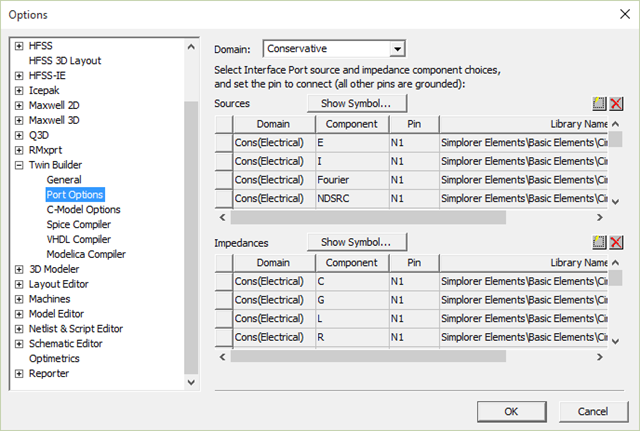
Follow this procedure to add a component:
- Click
 and select a component from a library in the component
library Select Definition dialog box.
and select a component from a library in the component
library Select Definition dialog box. - Select the Pin to be connected to the port net from the drop-down list. Click Show Symbol to allow the symbol, including its pin names, to be seen and resized to make the pin choice easier.
To remove a component from the list, select it and click  . You can also remove multiple components from the list: shift-click to select a contiguous block of components,
or Ctrl-click to select multiple components individually.
. You can also remove multiple components from the list: shift-click to select a contiguous block of components,
or Ctrl-click to select multiple components individually.
Available port source and impedance components default to the sets listed below: