
To Copy and Paste Common Properties for Primitive Drawing Elements
Follow this procedure to copy and paste the common properties from a primitive drawing element (graphical object) to another:
- Select the object you want to copy from.
- Use one of the following methods to access
Copy Data:
- Select Edit > Copy Data.
- Right-click the object and select Copy Data.
- Press Ctrl+Shift+C.
- Select the object you want to paste to.
- Paste the properties by using one of the
following methods:
- Select Edit> Paste Data.
- Right-click the component and select Paste Data.
- Press Ctrl+Shift+V.
The Copy Properties Data window appears.
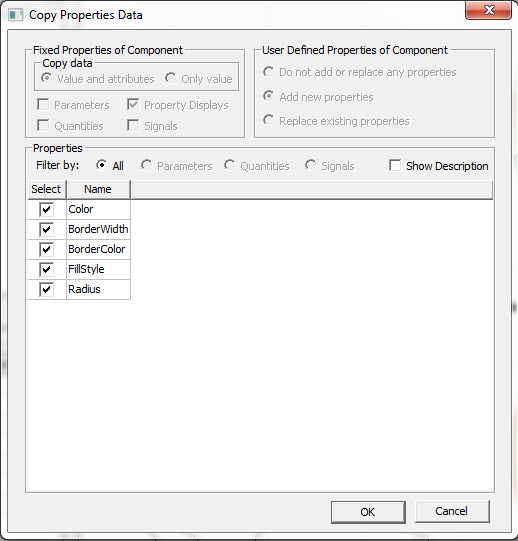
- In the Properties
pane, keep the default selections or clear the check boxes
for the properties you do not want to copy.
Select the Show Description check box to display the description for each property.
- Click OK. The properties are pasted into the object.
Related Properties