
The View/Edit Material Dialog Box
The View/Edit Material dialog box displays and sets values for the properties of a material.
- The View/Edit Material
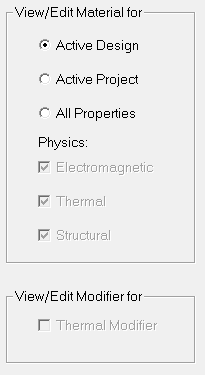
for area lets you select whether to edit material properties
for the active design, the active project, or
all properties. The selection controls the set of properties displayed in the material properties list.
Select All Properties to change the physics options: electromagnetic, thermal, or structural. The selection chosen controls the set of properties displayed in the material properties list. In addition, All Properties enables the Calculate Properties for drop-down list for defining properties for Permanent Magnetic and Permanent Electric Polarization. See Calculating the Properties for a Permanent Magnet.
Select Active Project or All Properties to enable the Thermal Modifier check box. For more information, see Specifying Thermal Modifiers.
- To specify or change the material name, click the Material Name box and enter a name.
- Click Reset to restore any property values changed during an editing session to the values present at the beginning of the session.
- Click Cancel to close this dialog box without committing your changes.
- Click OK to commit changes made in this
dialog box and close it.
Note:
If you would like the changes you have made in a material to be available for use in other projects, you must export the material to a library as described in Editing Materials Libraries.