
Adding Characteristics using the Add Trace Characteristics Dialog Box
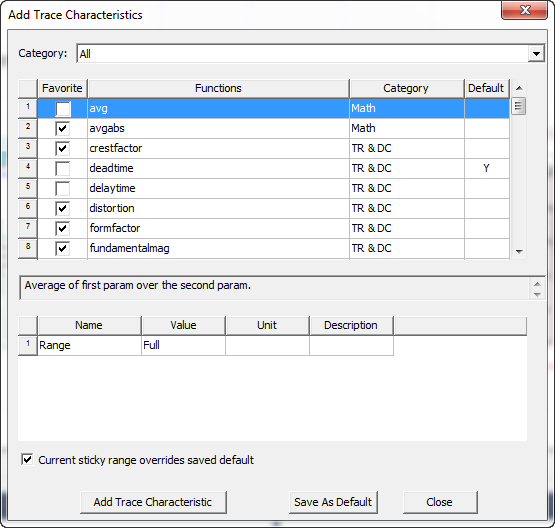
You can add characteristics to a selected trace by selecting from the Add Trace Characteristics dialog box.
Follow this procedure to add additional characteristics to a selected trace:
- Select a trace in a report plot or legend.
- Select Report 2D > Trace Characteristics, or right-click a trace.
- Select All.
The Add Trace Characteristics
dialog box appears.
- Select the Category.
The available categories depend on the plot, and the selecting of a category
displays its associated functions.
Category
Functions
Recent
Displays the most recent functions used, sorted by the time they were added.
Favorites
Displays all favorites. The defaults are max, min, and pk2pk.
All
Displays all available functions.
Math
avgabs, integ, integabs, max, mean, min, pk2pk, pkavg, ripple, rms, rmsAC, stddev, sum, variance, XatYMax, XatYMin, XatYVal, XWidthAtYVal, YatXMax, YatXMin, YatXVal
PulseWidth
pulsefall9010, pulsefront1090, pulsefront3090, pulsemax, pulsemaxtime, pulsemin, pulsemintime, pulsetail50, pulsewidth5050, pw_minus, pw_minus_avg, pw_minus_max, pw_minus_min, pw_minus_rms, pw_plus, pw_plus_avg, pw_plus_max, pw_plus_min, pw_plus_rms
Overshoot/ Undershoot
overshoot, overshootAbs, undershoot, undershootAbs
TR & DC
crestfactor, deadtime, delaytime, distortion, formfactor, fundamentalmag, risetime, settlingtime
Error
iae, ise, itae, itse
Period
per, pmax, pmin, prms
AC
gainmargin, phasemargin, gaincrossover, phasecrossover, lowercutoff, uppercutoff, bandwidth, peakgain, peakgainfreq
Radiation
lSidelobeY, rSidelobeY, lSidelobeX, rSidelobeX, xdb10Beamwidth, xdb20Beamwidth
Eye Measurements
EyeLevelZero, EyeLevelOne, EyeAmplitude, EyeHeight, EyeSignalToNoise, EyeOpeningFactor, EyeWidth, EyeJitterP2P, EyeJitterRMS, EyeRiseTime, EyeFallTime, MinEyeWidth, MinEyeHeight
TDR
Shunt_C_in_pF, Series_L_in_nH
For a selected function, the Add Trace Characteristics dialog box displays the function’s purpose in a text field. For a list of functions and their definitions, see the table in Defining Traces Using Range Functions.
- Some categories and functions call for
you to specify one or two additional values in a table. Click Save as Default
to save these values. The Default column shows a Y if there is a saved default value
for the function.
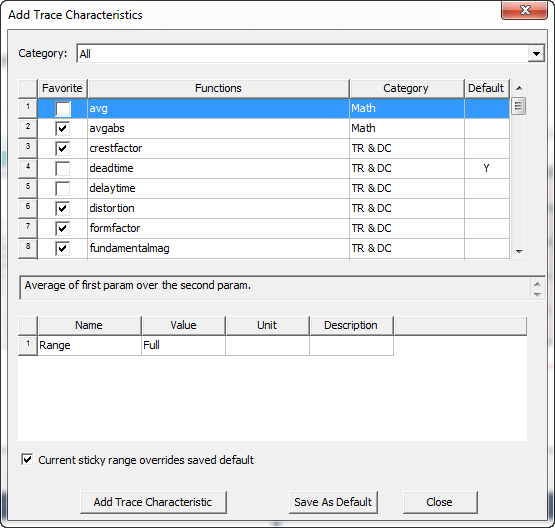
- Select the Current sticky range overrides saved default check box if you do not want the range value in the table to change when the function selection is changed; in this case, the current range value becomes the sticky range. If the check box iscleared, the range value is updated from the saved default values and becomes a new sticky range.
- Click Add Trace Characteristic to add the specified characteristics to the trace.
- Click Close.
Related Topics
Adding a Characteristic to a Trace
Adding Trace Characteristics to your Favorites
Removing All Trace Characteristics