
Computing a Crosstalk Scan - Frequency Domain
To run the frequency domain crosstalk scan in SIwave:
- Click Simulation.
- From the SIwave area, select Crosstalk Scan > Frequency Domain.
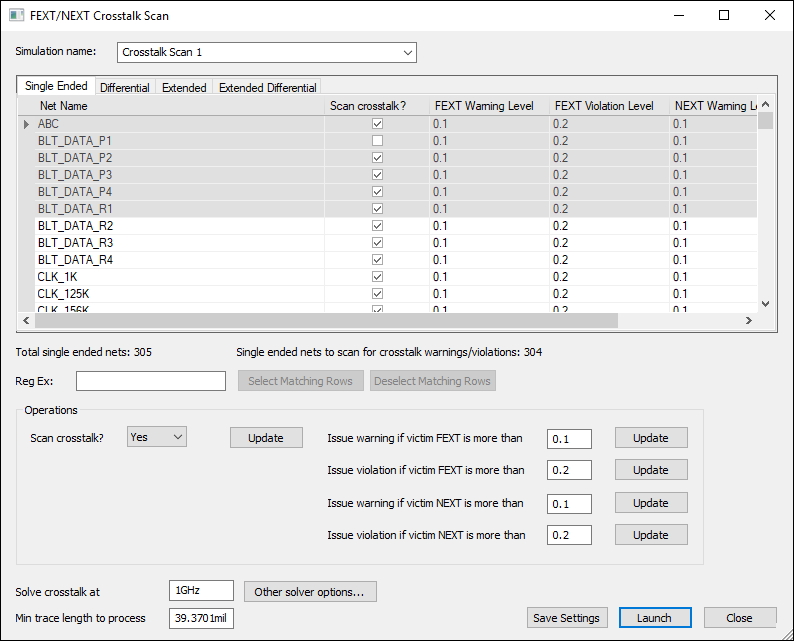
- Navigate using the tabs and select one or more Single Ended, Differential, Extended, or Extended Differential nets. You can also use regular expressions to select and deselect nets.
- Use the Scan crosstalk? check boxes to denote which nets will be scanned.
- From the Operations area, enter values the NEXT and FEXT warning and violation thresholds.
- If appropriate, update the Solve crosstalk at and Min trace length to process fields.
- If appropriate, click Save Settings to save your settings.
- Click Launch to run the simulation.
The FEXT/NEXT Crosstalk Scan window appears, on the Single Ended tab.
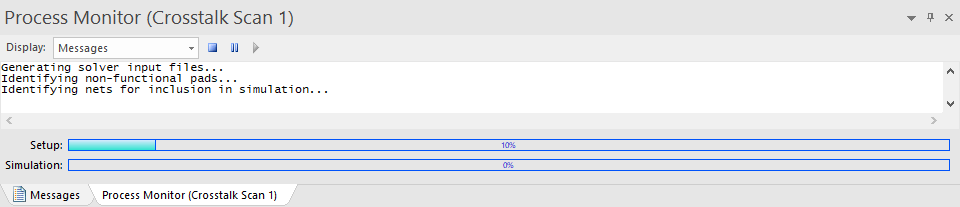
The Messages window updates with a Process Monitor tab that displays the progress.
You can view crosstalk scan results, access additional results menu options, or automate crosstalk scans.