
Transmission Lines Based on HFSS Data
A parameterized two port transmission line can be created in Electronics Desktop based on an HFSS port solution. The characteristic impedance and propagation constant from a port in an HFSS design is used along with a user input length to generate an S parameter matrix in Electronics Desktop for a single mode transmission line. The resulting transmission line can be used like any other Ansys Electronics Desktop component in the schematic editor.
To create a W-element transmission line model instead of a standard N-port, check the Transmission Line Model check box on the HFSS Dynamic Link window. See Add an HFSS Dynamic Link Model.
The properties of this component includes all the properties on the HFSS model plus one called “TLineLength”:
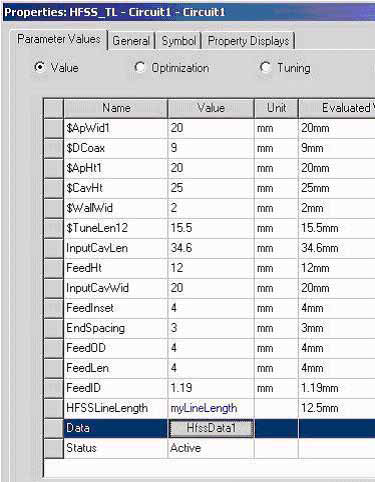
The variable “myLineLength” was created in Electronics Desktop to vary the length of the transmission line.
Ansys Electronics Desktop creates a single mode transmission line using the characteristic impedance and propagation constant from the HFSS design. The length of the line is “TLineLength.” Port solution data from HFSS as a function of design parameters is either interpolated or solved automatically depending on the status of the “Interpolate missing solutions/Simulate missing solutions” button.