
Validation (Average IGBT and Average Power MOSFET)

In the Average IGBT Validation page, you can check the accuracy of the parameterized component through the validation of switching energies. All input values transfer from the energy fitting page. If the energy fitting for a particular set of working conditions was not run, this set of working conditions is not available for validation.
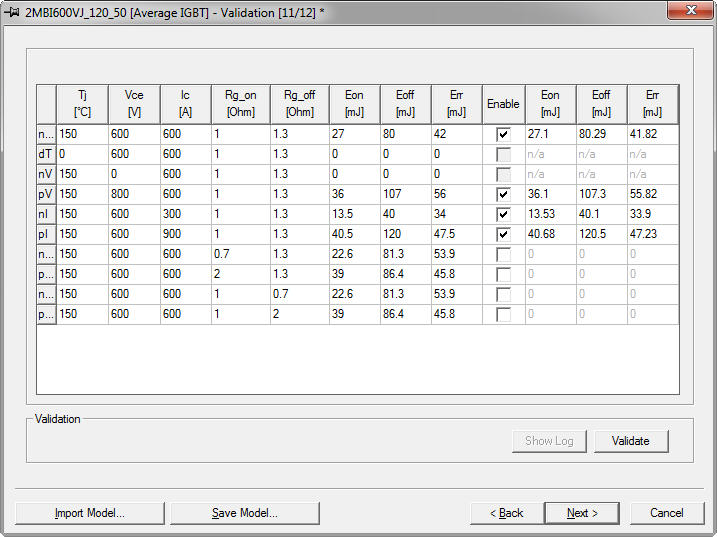
To validate the model:
- Click Validate to use the model with the parameters entered and to calculate the energies in a test configuration.
Entries on the left-hand side of the Enable check box transfer from the previous (Energy fitting) page, and the entries to the right of the check box populate after the validation process ends. The validation is performed through a series of transient analysis under the specified working conditions.
Select or clear the Enable check box to enable or disable the validation process for any row in the table.
- Click Show Log to view a copy of the simulation log showing both the Data sheet value and the Simulation results as well as the error percentage between the two sets of data.
- When finished, click Next to continue characterizing the device (Model Parameters).