Transient Thermal Impedance
Use Transient Thermal Impedance mode to enter characteristic data from the manufacturer's data sheet that describes the thermal impedance of the IGBT. Follow this procedure to use the Transient Thermal Impedance model:
- Select the Use Transient Thermal Impedance
radio button in the Fitting Mode section as
shown below.
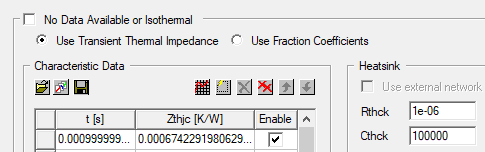
- In the Transient Thermal Impedance characteristic data curve section of the dialog box, enter the thermal response curve as described in Working with Characteristic Data Curves.
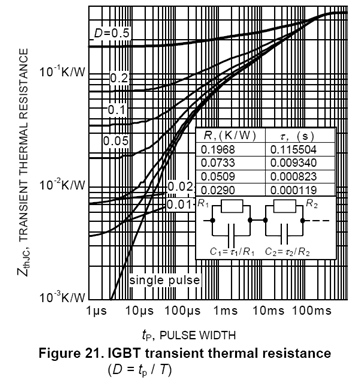
Enter the thermal impedance of the IGBT as data pairs. An example of the thermal impedance in the datasheet is shown in the following figure. Note in this case, the thermal impedance required by the device characterization tool is the thermal response under single pulse excitation.