
Characterize Device

Follow this procedure to begin the device characterization:
- Select Twin Builder > Characterize
Device > Semiconductors to open the Characterize Device dialog
box.
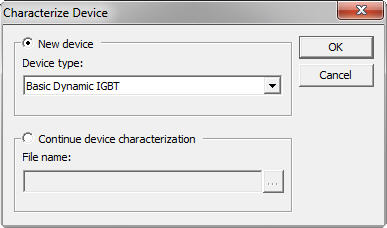
- Do one of the following:
- To characterize a new device, select the New Device radio button and select a device from the Device type drop-down list.
- To continue device characterization from a previous
session, select the Continue device characterization radio button
and enter the file name from the previous session, or click
 to browse to the file.
- Click OK to start the device characterization
wizard for the specified device. The following topics describe the flow
of the device characterization wizard for each device type, and provide
links to detailed information for each wizard dialog box. Choose the
appropriate topic for your specified device type to continue the characterization
process.
- Characterization Flow for IGBT and Power MOSFET (Average, Basic Dynamic, and Advanced Dynamic)
- Characterization Flow for Power Diode. Details about the Power Diode Model are in the Basic Elements section in the Components help