
Viewing Far Field Results in SIwave
To view far field results:
- Click Results.
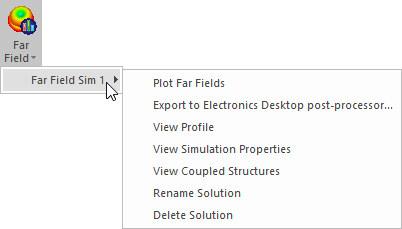
- From the SIwave area, select Far Field > [Simulation Name] > Plot Fields.
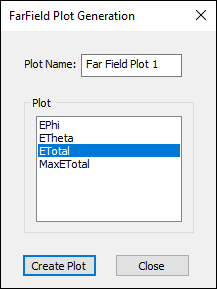
- From the Plot Name field, enter a name for the plot.
- From the Plot field, choose from the available options.
The far field quantities measure the product r*E, where r is the radial distance from the origin and E is the electric field vector. For far fields, r*E does not depend on r; or equivalently, E is proportional to 1/r. Also, for far fields the radial (r) component of the E field is zero. The units of r*E are Volts.
ePhi, eTheta
spherical (phi, theta) components of the quantity r*E. These are complex numbers.
eTotal
eTotal is a real number, and is the square root of the sum of the magnitudes of the vector components of r*E. It can be expressed either as:

or

eX, eY, and eZ
Cartesian (x, y, z) components of the quantity r*E. These are complex numbers.
ELeft The dominant component for a left-hand, circularly polarized field.
ERight The dominant component for a right-hand, circularly polarized field.
MaxEX A real-valued quantity. It is the maximum value (across all values of phi and theta on a sphere) of the magnitude of the x-component of r*E.
MaxEY A real-valued quantity. It is the maximum value (across all values of phi and theta on a sphere) of the magnitude of the y-component of r*E.
MaxEZ A real-valued quantity. It is the maximum value (across all values of phi and theta on a sphere) of the magnitude of the z-component of r*E.
MaxEPHI A real-valued quantity. It is the maximum value (across all values of phi and theta on a sphere) of the magnitude of the phi-component of r*E.
MaxETheta A real-valued quantity. It is the maximum value (across all values of phi and theta on a sphere) of the magnitude of the theta-component of r*E.
MaxETotal The maximum value (across all values of phi and theta) of eTotal.
MaxELeft Maximum values for the dominant component for a left-hand, circularly polarized field.
MaxERight Maximum values for the dominant component for a right-hand, circularly polarized field.
- Click Create Plot.
The FarField Plot Generation window appears.
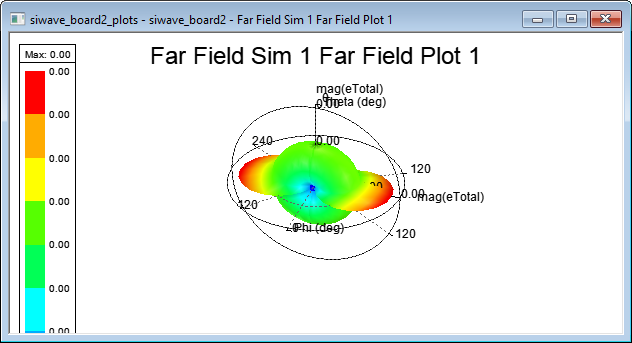
Ansys Electronics Desktop launches to display the plot.
From the Far Field results menu, you can also access additional menu options.