
Exporting Output Report
The Signal Net Analyzer output report duplicates the nets table from the Signal Net Analyzer window in either TXT or CSV format.
Note:
Using a script, you can also export the table in HTML format. See: ScrExportSNAReport.
To export the table from the UI:
- Open the Signal Net Analyzer.
- From the options pane, select nets to view them in the table.
- From the options pane, click Export Table.
The Export Table window appears.
- Use the drop-down menu to select the type of file you would like to save (TXT or CSV).
- Enter a name for the file and click Save.
-
When finished, the report saves to the specified location.
CSV Report:
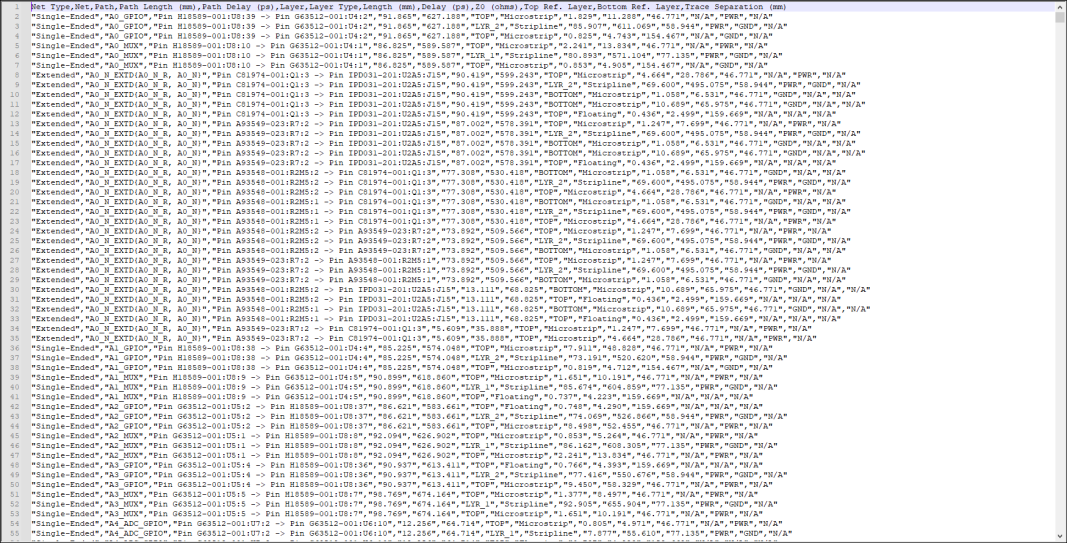
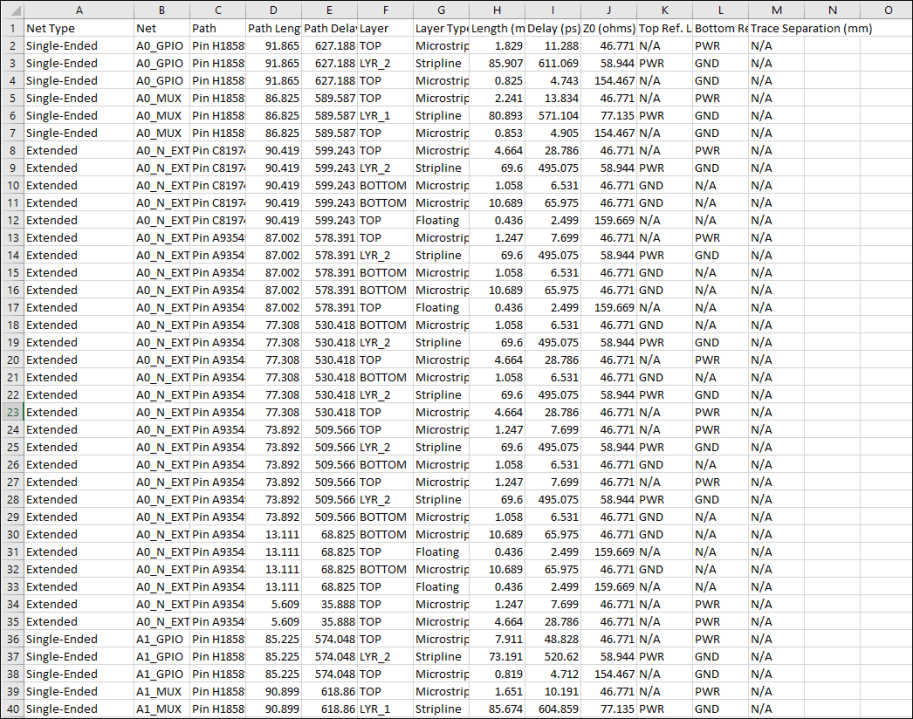
- Open as raw, comma-separated data or in the program of your choice. The file is displayed in Microsoft Excel.
HTML Report (Exported using ScrExportSNAReport):
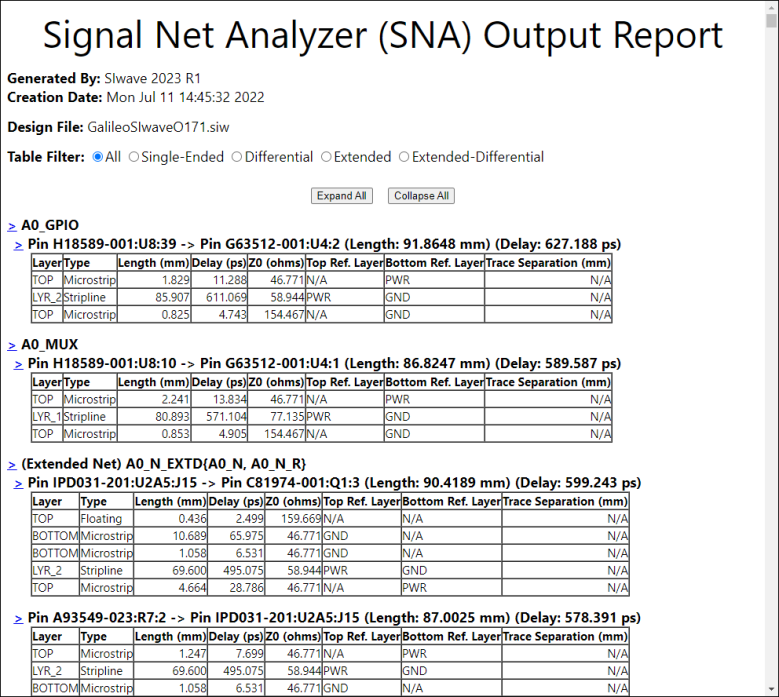
- Open in your preferred internet browser.
- Use the Table Filter radio buttons to display an appropriate net type(s).
- Expand and hide nets and pins using the > links.