
Exporting an HFSS Regions Schematic
HFSS simulations in SIwave are fully automated. When the solver launches, regions are clipped from the design, appropriate ports are placed on signal nets and HFSS is invoked on each region sequentially to generate S-matrices, which are then automatically wired into the SIwave simulation as n-port blocks. All of this happens behind the scenes.
Users can elect to export the HFSS setup as a schematic. This affords users greater control and visibility into the HFSS region setups.
Each HFSS region is modeled as a separate HFSS 3D Layout project, and an additional project is created to model what remains after the regions are separated. Ports at region interfaces are automatically created. Once the projects are created, a schematic is generated that connects the regions and the SIwave geometry. A Nexxim LNA sweep setup (matching the S-parameter sweep defined in SIwave) is inserted and the schematic is ready for simulation. Prior to initiating the simulation, which analyzes each associated project using the dynamic link framework, users can examine and modify the projects, as appropriate.
If done incorrectly, modifiying ports at region interfaces can invalidate the schematic level connections and will require user intervention to rectify.
Complete the following steps to export an HFSS regions schematic from SIwave.
- If appropriate, open an appropriate project in SIwave.
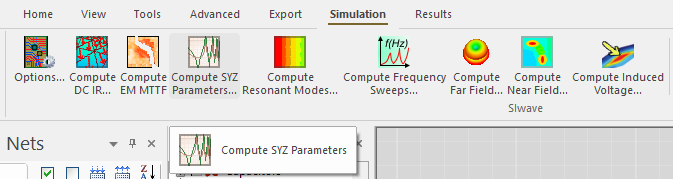
- From the Simulation tab, select Compute SYZ Parameters.
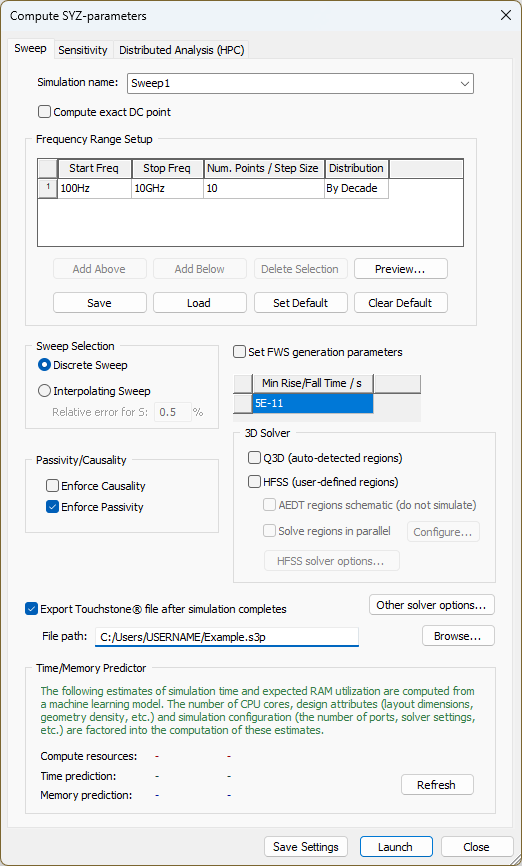
The Compute SYZ-parameters window opens.
-
From the 3D Solver area, check the HFSS (user-defined regions) box. Then check the AEDT regions schematic (do not simulate) box.
-
Click Launch. Instead of performing a simulation, SIwave exports the schematic and creates a <project_name>_regions_sch folder in the directory containing the project *.siw file. 3D Layout and schematic projects are also created and placed within an 000X_<sweep name> subfolder.
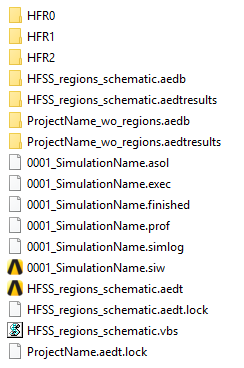
Each HFR# folder contains a HFSS 3D Layout project representing a region. <project_name>_wo_regions.aedt represents the SIwave project with the region geometry removed. In Electronics Desktop, each schematic block representing a 3D Layout-linked project is placed in a separate tab.
Consult the HFSS help for instructions on running a Nexxim LNA frequency sweep of the exported schematic.