
Editing Trace Properties
To edit trace properties or variables, select the trace in the Project Manager
The Properties window updates to display trace information.
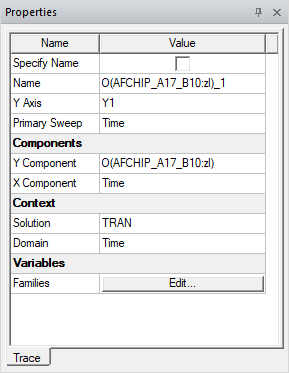
From this window, you can rename the trace, edit component definitions, edit the context, and edit variables.
You can also modify the trace display. See: Changing Report Display.