
Defining Capacitor Regions
You can define the area in which you will be placing your capacitors.
To define a capacitor region:
- Click Home. From the Draw Geometry section, click the Define Capacitor Regions... icon (
 ).
).

The Define Capacitor Regions window appears.
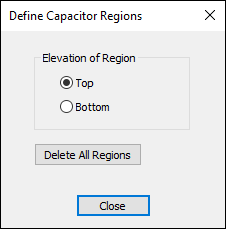
- Select the elevation to be either the Top or Bottom of the board.
- Click an area in the Modeling workspace to draw the rectangle.
- Click Close.
To remove the defined regions, open the Define Capacitor Regions window and click Delete All Regions.