Changing the Design View with Alt+Double-Click Areas
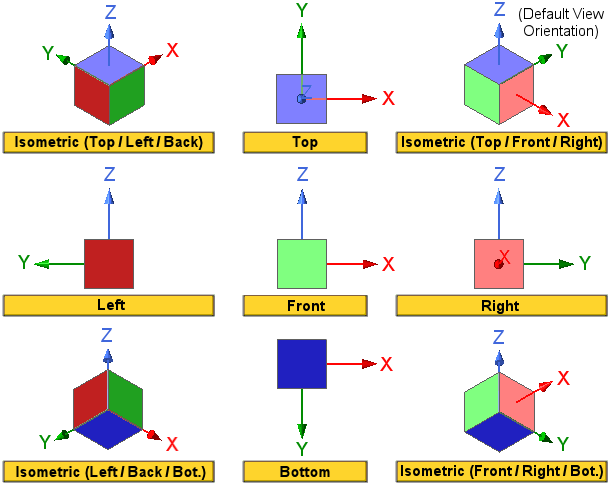
From the following figure, the colored boxes show the nine view orientations you can obtain by using Alt + double-click in the corresponding areas of the Modeling workspace. Each face is a unique color and is named according to standard view orientation names.