
Adding a Port
Ports represent the external nodes and specify an external access point in the circuit. When an SIwave design is exported or cosimulated, ports define the externally visible nodes.
A new naming convention uses keywords, such as $PARTNAME and $REFDES, to define ports.
To add a port:
- Click Home. From the Circuit Elements box, click the Add Port icon (
 ).
). - Click the location where you want to place the port.
- Drag the mouse to an appropriate length and direction.
- Click to finish drawing.
The Select layers for port terminals window appears.
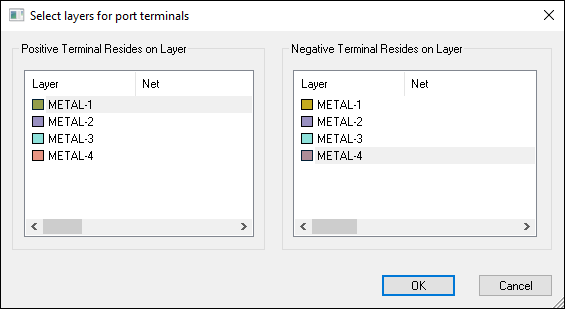
- From the Positive Terminal Resides on Layer list, select the layer for the positive end.
- From the Negative Terminal Resides on Layer list, select the layer for the negative end.
- Click OK.
The Port Properties window appears.
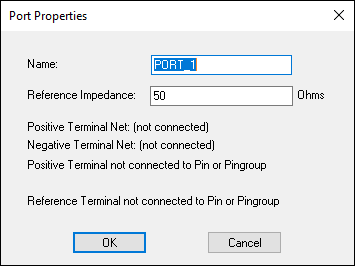
- From the Name field, type a name for the port.
- From the Reference Impedance field, type a value in Ohms. This value is used as the normalization when calculating s-parameters.
- Click OK.
You have now added a port. You can also edit its parameters.