
Setting HFSS Etch Factor
HFSS geometry allows for the presence of an etch factor in the design and modeling of different substrate layers. The specific etch factor that applies to a particular layer is usually available from the manufacturer. But in general, the etch factor is calculated by taking the ratio of etch depth to undercut.
When using the Impedance Wizard to calculate impedance, differential impedance, or trace width/pitch, change the HFSS Etch Factor settings.
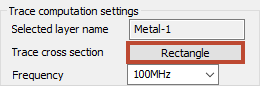
Access these options by clicking the button next to Trace cross section. The button name reflects the current shape of the cross section:
The HFSS Etch Factor window appears:
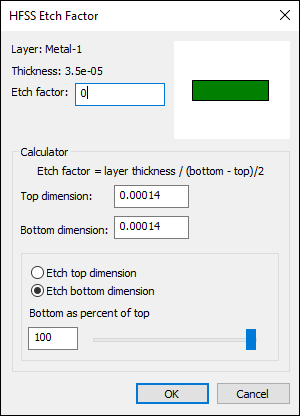
The HFSS Etch Factor window acts as a calculator. Update any value and the other values, as well as the cross section diagram, will update accordingly.
When the calculator opens, it is populated with top and bottom dimensions that correspond to the default etch factor. These dimension values are representational and do not correspond to a particular geometry in the layout.
The Etch Factor value may be entered as a number or may be parameterized as a project variable. If the input is a number, the calculator controls are available; otherwise, the calculator controls are disabled. The top and bottom dimensions can be changed directly using their edit controls or they can be modified using the slider. The slider sets the value of one dimension to a percentage of the other. As the top and bottom dimensions are changed, both the etch factor and the layer drawing are modified to reflect the change.
When you click OK, the etch factor is applied to the selected layer.