
3D Modeler Options: Discovery Link Options
Under 3D Modeler options, Discovery Link options determine how linked Discovery projects are imported.
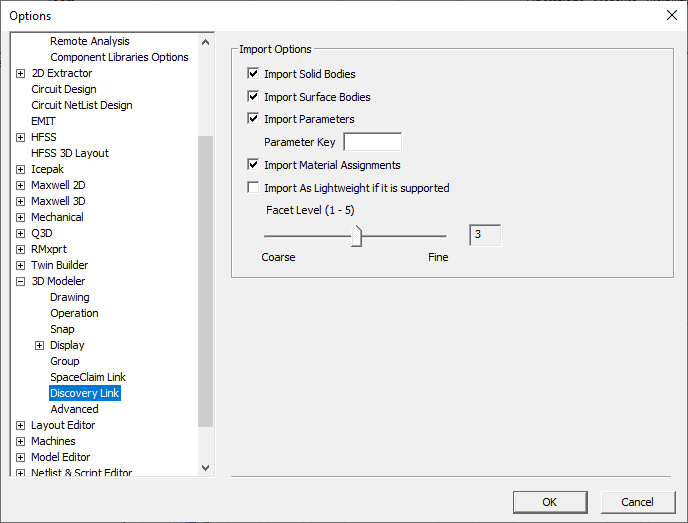
To specify Discovery link settings, select or clear the following check boxes in the Discovery Link section:
- Import Solid Bodies – Enabled by default.
- Import Surface Bodies – Enabled by default.
- Import Parameters – Enabled by default.
- Parameter Key – A string used to filter out parameters. By default no string is entered and all Discovery parameters are imported.
- Import Material Assignments – Enabled by default. Note that this imports material assignments by not material properties. A material with exact name must already exist, otherwise, validation issues a violation.
- Import As Lightweight if it is supported– This feature allows you to import a geometry from Discovery as a lightweight geometry into a design with SBR+ solution type. The Facet Level can be set on a 1-5 range, from coarse to fine, if the geometry in Discovery is not faceted. If it is faceted in Discovery, the facets will be imported directly and the Facet Level setting will be ignored.