
Distributed Memory CG Solutions
Q3D Extractor's Distributed Memory CG Solver (MPI-FMM) can take advantage of cloud computing platforms in order to simulate very large designs. By redistributing the mesh so that each MPI task handles only a partial mesh, and by parallelizing tasks, MPI-FMM allows Q3D Extractor to handle designs containing 100 million+ mesh elements.
Important:
- Ansys recommends using Distributed Memory CG Solutions for applications that are large in size and cannot fit on a single node.
- Using too many tasks for smaller meshes will slow down the solver.
- For best performance, use a smaller number of cores per task (ideally 4).
- CG Matrix Solver cannot be enabled simultaneously with the Solver Nets/Sources Distribution Type option.
Submitting a Distributed Memory CG Solution
To use the MPI-FMM solver:
- Create a CG solution setup.
- Prepare to submit an HPC job.
- Enable CG Matrix Solver one of two ways:
- From the solution setup's General tab:
- Click HPC and Analysis Options.
- Select an HPC configuration and click Edit to launch the Analysis Configuration window.
- From the Job Distribution tab, select the check box next to CG Matrix Solver to enable it.
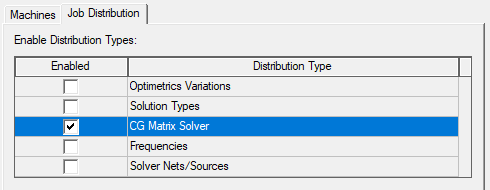
- Click OK.
- From the Submit Job window:
- Select the Compute Resources tab.
- Ensure Use Automatic Settings is disabled.
- In the Job Distribution area, click Modify to launch the Job Distribution window.
- Select the check box next to CG Matrix Solver to enable it.
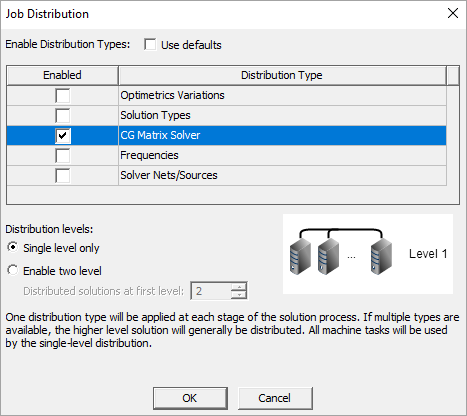
- Click OK.
Important:CG Matrix Solver cannot be enabled simultaneously with Solver Nets/Sources.
- From the solution setup's General tab:
- Submit the job.