
Assigning Nets Automatically
If you have two conducting objects touching each other, Q3D Extractor treats them as one combined object. Q3D Extractor can auto identify nets by finding touching conductors
Important:
- Unconnected multilump solids cannot be assigned as nets.
- Perfect electric conductors (PECs) and non-PECs cannot be part of the same net.
- Automatically identifying nets may undo any changes you've made to net assignments.
To automatically identify nets:
- Select one of the following:
- Right-click in the Modeling Workspace and select Auto Identify Nets.
- Right-click Nets in the Project Manager and select Auto Identify Nets.
- Select [Q3D Extractor] > Nets > Auto Identify Nets.
A prompt warns you that your changes may be undone:
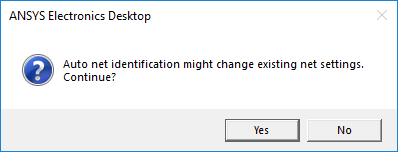
- Click Yes to continue.
Nets appear in the Project Manager under Nets.
Usually, the default conductor assignments generated by this command do not need to be changed.
After auto identifying, the name of the net depends on the number of objects:
- If the net consists of a single object, the object's name is used as the net name.
- When a multi-object net is auto identified, an automatically generated name is given to the new net.