
LTI ROM Parametric Setup
LTI ROM Parametric Setup enables you to quickly create a parametric setup for state-space characterization. See State-Space Characterization for more information.
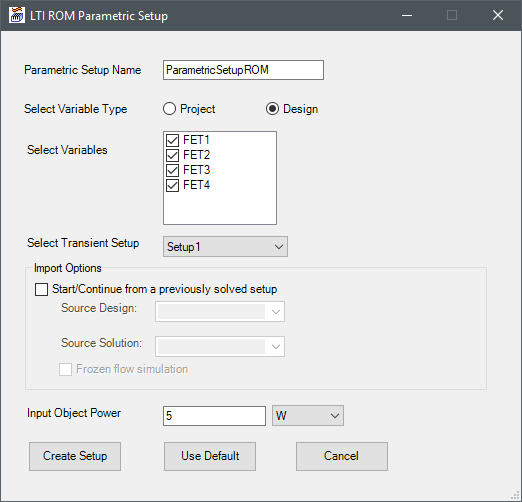
| Parametric Setup Name | Enter a name for the parametric setup. |
| Select Variable Type | Select Project or Design to display project or design variables in the Select Variables list. |
| Select Variables | Select the variables to include in the parametric setup. |
| Select Transient Setup | Select the transient solution setup. |
| Import Options | Select Start/Continue from a previously solved setup to link to the steady-state design. Select the design and solution from the drop-down lists. If the steady-state design solves for flow and temperature, select Frozen flow simulation. |
| Input Object Power | Specify the power for the input objects for the parametric trials. |
| Create Setup | Click Create Setup to create the parametric setup, which is listed under Optimetrics in the Project Manager. |