Local Mesh Parameters
After reviewing an initial mesh (see Checking the Mesh and Mesh Quality and Type), if the mesh does not satisfy the requirements, assign mesh operations and define local mesh parameters to refine the mesh locally and improve the mesh quality.
-
If the element count on the face of an object is low, use the X, Y, or Z count to change it.
-
Use height and ratio to refine the mesh around objects.
-
Refine the mesh around objects where the temperature and velocity gradients are expected to be high (for example, heated blocks and plates, objects blocking or diverting the flow, and fans).
The settings on the Local Mesh Parameter tab depend on the selection mode and the geometry selected.
Click through slideshow below to view the parameters available for the different geometry selections.
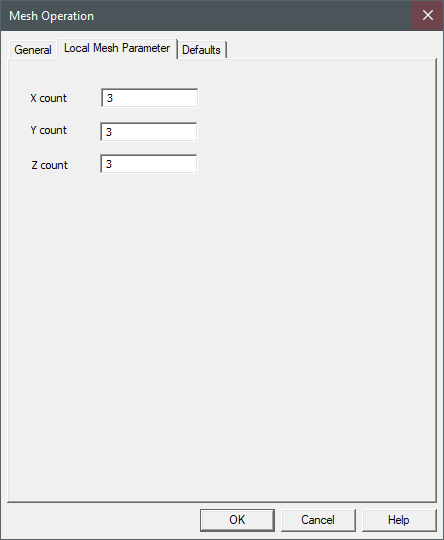
Box Object - Object Selection Mode
| X Count
|
X Count specifies the number of elements along the X axis of the box. |
| Y Count
|
Y Count specifies the number of elements along the Y axis of the box. |
| Z Count
|
Z Count specifies the number of elements along the Z axis of the box. |
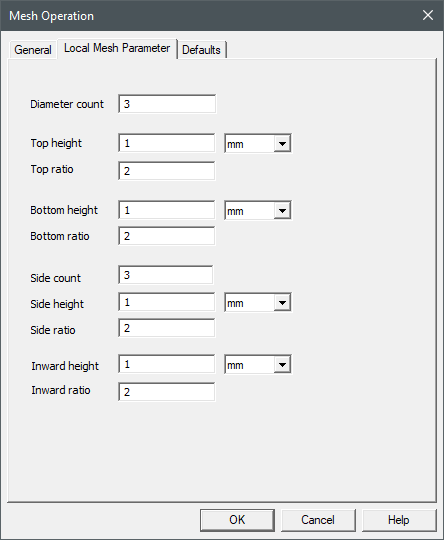
Cylinder Object - Object Selection Mode
| Diameter count
|
Diameter count specifies the number of elements along the diameter of the cylinder. |
| Top height
|
Top height specifies the height of the first mesh cell along the top face of the cylinder. |
| Top ratio
|
Top ratio specifies the ratio of the mesh growth in consecutive cells along the top of the cylinder. |
| Bottom height
|
Bottom height specifies the height of the first mesh cell along the bottom face of the cylinder. |
| Bottom ratio
|
Bottom ratio specifies the ratio of the mesh growth in consecutive cells along the bottom of the cylinder. |
| Side count
|
Side count specifies the number of elements along the sides of the cylinder. |
| Side height
|
Side height specifies the height of the first mesh cell along the sides of the cylinder. |
| Side ratio
|
Side ratio specifies the ratio of the mesh growth in consecutive cells along the sides of the cylinder. |
| Inward height
|
Inward height specifies the height of the first element on the surface of an object in the direction normal to that surface, pointing inside of the object. |
| Inward ratio
|
Inward ratio specifies the ratio of the height of a given element to the height of an adjacent element in the row one level nearer to the object, on the inside of the object. Together with the initial element height, this parameter controls mesh grading and density in the region near the surface of a modeling object, on the inside of the object. |
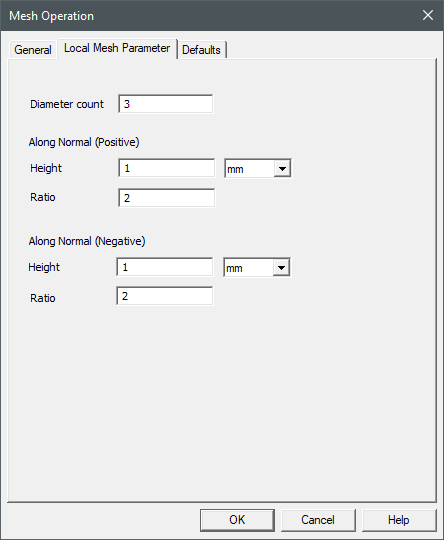
Circle Object - Object Selection Mode
| Diameter count
|
Diameter count specifies the number of elements along the diameter of the circle. |
| Along Normal (Positive) |
| Height
|
Height specifies the height of the first mesh cell along the positive direction normal to the surface of the circle face. |
| Ratio
|
Ratio specifies the ratio of the mesh growth in consecutive cells along the positive direction normal to the surface of the circle face. |
| Along Normal (Negative) |
| Height
|
Height specifies the height of the first mesh cell along the negative direction normal to the surface of the circle face. |
| Ratio
|
Ratio specifies the ratio of the mesh growth in consecutive cells along the negative direction normal to the surface of the circle face. |
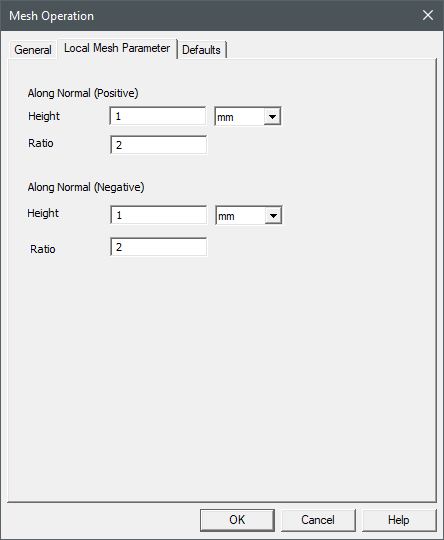
2D Sheet Object - Object Selection Mode
| Along Normal (Positive) |
| Height
|
Height specifies the height of the first mesh cell along the positive direction normal to the surface of the sheet face. |
| Ratio
|
Ratio specifies the ratio of the mesh growth in consecutive cells along the positive direction normal to the surface of the sheet face. |
| Along Normal (Negative) |
| Height
|
Height specifies the height of the first mesh cell along the negative direction normal to the surface of the sheet face.
|
| Ratio
|
Ratio specifies the ratio of the mesh growth in consecutive cells along the negative direction normal to the surface of the sheet face. |
2D Polygon Object - Object Selection Mode
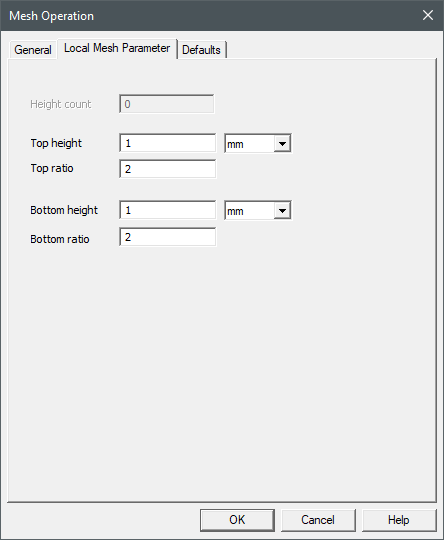
| Top height
|
Top height specifies the height of the first mesh cell along the top face of the polygon. |
| Top ratio
|
Top ratio specifies the ratio of the mesh growth in consecutive cells along the top of the polygon. |
| Bottom height
|
Bottom height specifies the height of the first mesh cell along the bottom face of the polygon. |
| Bottom ratio
|
Bottom ratio specifies the ratio of the mesh growth in consecutive cells along the bottom of the polygon. |
3D Polygon Object - Object Selection Mode
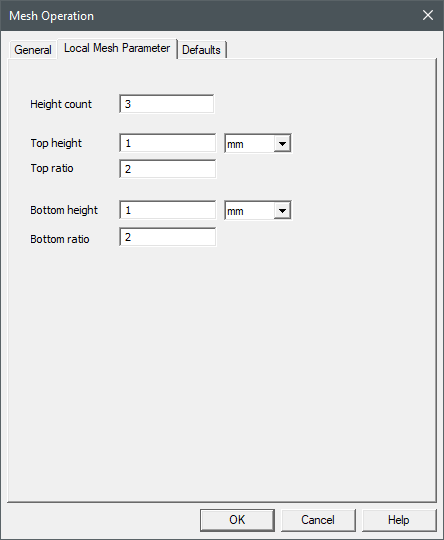
| Height count
|
Height count specifies the number of elements along the height of the polygon. |
| Top height
|
Top height specifies the height of the first mesh cell along the top face of the polygon. |
| Top ratio
|
Top ratio specifies the ratio of the mesh growth in consecutive cells along the top of the polygon. |
| Bottom height
|
Bottom height specifies the height of the first mesh cell along the bottom face of the polygon. |
| Bottom ratio
|
Bottom ratio specifies the ratio of the mesh growth in consecutive cells along the bottom of the polygon. |
Object Face - Face Selection Mode
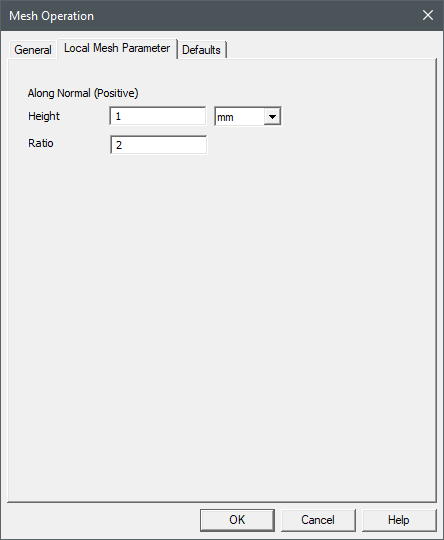
| Along Normal (Positive) |
| Height
|
Height specifies the height of the first mesh cell along the positive direction normal to the surface of the face. |
| Ratio
|
Ratio specifies the ratio of the mesh growth in consecutive cells along the positive direction normal to the surface of the face. |
Object Edge - Edge Selection Mode
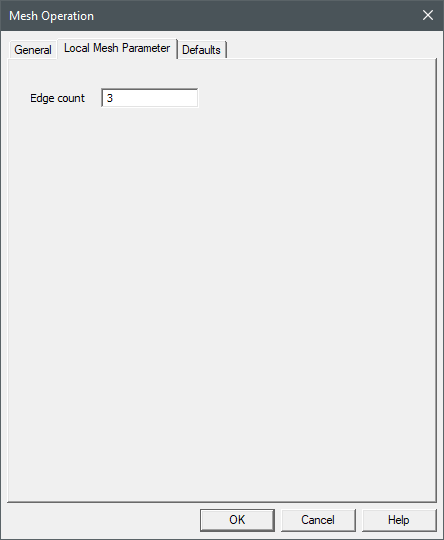
| Edge Count
|
Edge Count specifies the number of elements along the edge. |
