
Running Simulations
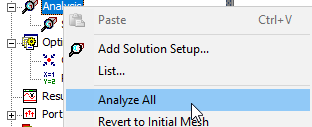
After you specify how Ansys Electronics Desktop is to compute the solution, you need to begin the solution process. You can access the Analyze commands for a specific setup by right-clicking on a solution or sweep in the Project tree and selecting from the shortcut menu, you by selecting the Analyze All from the solver menu, or the Analyze All icon on the Simulation tab of the ribbon.
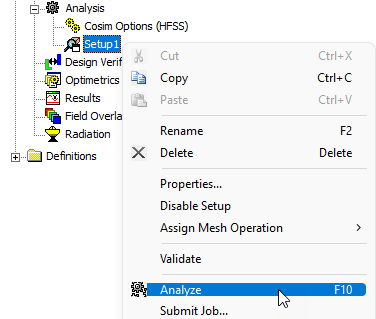
In general, the Analyze command on the shortcut menu applies to the selected setup and associated sweeps, if any, or to a selected sweep. To use this command, right-click on a setup or sweep in the Project Manager and click the command on the context menu.
The Analyze All command applies to all
What do you want to do?
- Local Analysis
- Solve a single setup with or without sweeps (when applicable)
- Enable a queue so that multiple simulations can run sequentially as resources become available.
- Run more than one simulation, whether multiple setups, or multiple sweeps under a single setup, or setups with dependencies.
- one or more solution setups or sweeps.
- Submit Job to RSM or HPC Scheduler
- Monitor queued simulations
- Change a solution priority for system resources
- Abort an analysis
- Re-solve after modifying a design