Import an IDF File
Follow this procedure to import an Intermediate Data Format (IDF) files that have been exported from an ECAD package.
-
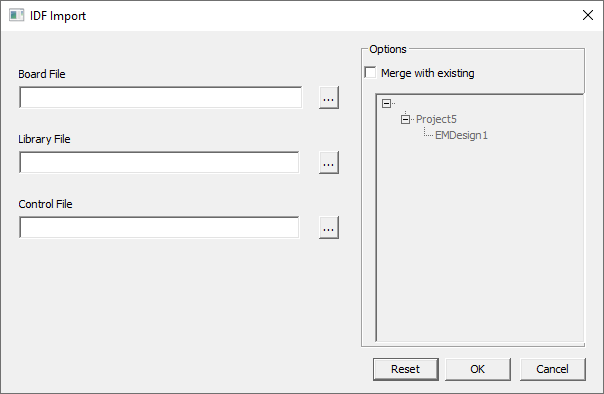
- On the IDF Import dialog box, click the button next to the Board File field.
- In the Open dialog box, browse to the location of the IDF files, select the board file, and click Open. If available, the Library File and Control File fields are automatically populated.
- If needed, click the button next to Library File and Control File to select these files.
- If updating components with IDF information:
- In the Options area, click Merge with existing.
- Select the existing file.
This merges any new properties into the existing file. To update a component with IDF data, the component must exist in both the design and IDF files.
- Click OK to import the model.
Note:
The File > Import > IDF option creates a new HFSS 3D Layout project and is not relevant in Icepak designs.