
Setting the Solution Frequency
For every Driven solution setup, specify whether to solve a Single Frequency, Multi-Frequency, or Broadband, and provide the frequency information and units at which to generate the solution. Each method changes the fields shown in the dialog to those needed for the selection. If you enable HPC, multiple frequencies will be distributed.
If a single frequency sweep is solved, an adaptive analysis is performed only at the solution frequency. If you want to solve over a range of frequencies, define a frequency sweep or a Mult-Frequency or Broadband solve. You must first assign an excitation for the Mult-Frequencies and Broadband options to appear on the setup.
Single Frequency
If you select Single for solution frequency, you specify a value and units with a maximum delta S (or Matrix Convergence), plus the maximum number of passes.
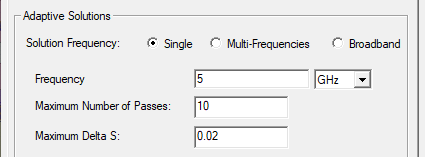
- Enter a value for Solution Frequency and select the frequency units from the pull down list.
- Specify the Maximum Number of Passes Note:
For Fast sweeps, HFSS uses the solution frequency as the center frequency if it is within the frequency range (greater than the start frequency and less than the stop frequency.) Otherwise the middle of the frequency range is used as the center frequency.
Multi-Frequency
If you select Multi-Frequencies, you can click Add to add additional frequencies, and edit the value, units, and Max. Delta for each frequency.
You can use the Add button to specify one frequency at a time.
You can use Remove to remove any selected items in the Frequency Sweeps table.
If you want to create a Frequency animation of field results, you must specify the frequencies here in the Multi-Frequency Solution setup.
Broadband
If you select Broadband, you define the frequency band by providing the low and high frequency, with a maximum delta S (that is applied to all solved frequencies), plus the maximum number of passes. The meshing frequencies include the Low and High with the remaining points determined automatically by HFSS. When the user requests DC as the low frequency, the lowest frequency solved by the adaptive meshing process is determined by an algorithm that looks at the range of frequencies you entered.
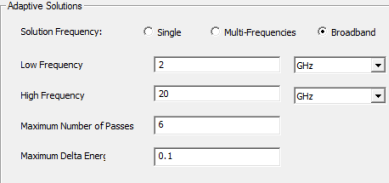
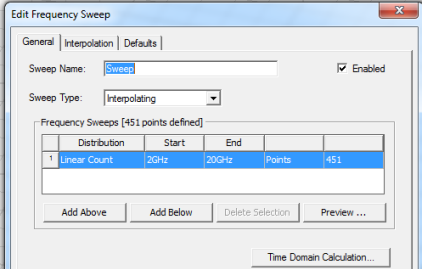
When you OK the Solution Setup for Broadband, you are automatically presented with a dialog for specifying an Interpolating sweep.
Simulation and Convergence
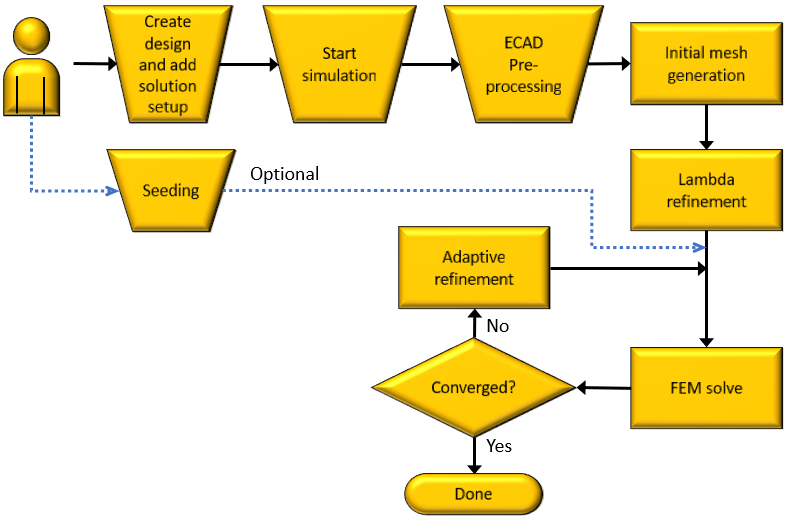
In multiple frequencies modes, when frequency point p convergences prior to frequency point q, keep adapting at p until q and all other points achieve convergence.
The convergence data in the solution data dialog for single frequency mode is calculated in the same way as before. In multiple frequencies mode, the convergence plotted on the convergence display item corresponds to the global maximum delta S. Convergence data such as “Max. Delta S” appear in the reporter as standard solution quantity so that you can easily plot the maximum delta S for each frequency point vs. pass.