
If you want to refer to an N-port data file during the solution process, you can import an N-port data file into the active project or link to an N-port data file. The latter method is useful when you want to avoid importing an N-port data file into the project every time it is updated.
- From the Project menu, select Add Model > Add NPort Model to open the N-port data window.
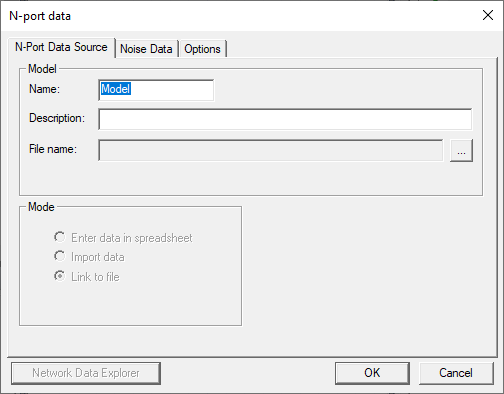
- Under the N-Port Data Source tab, select one of the following data sources:
- Import data
- Link to file
- Select one of the following options in the File area:
- Use Path if you want to specify the exact location of the N-port data file.
- In PersonalLib folder if the file is located in the program’s PersonalLib folder.
- In userlib folder if the file is located in the program’s userlib folder.
- In syslib folder if the file is located in the program’s syslib folder.
- Click the [...] button and use the explorer window to select the chosen N-port data file.
- Click OK to return to the N-Port Data Source tab of the N-port data window
- Follow the general procedure for inserting N-Port data.