
Footprint Stackup
To access the footprint stackup, after the component has been placed in the Layout Editor, right-click the component and select Edit Footprint to open the Footprint Editor. Then, on the Footprint menu, select Edit Layers, which opens the Edit Layers window.
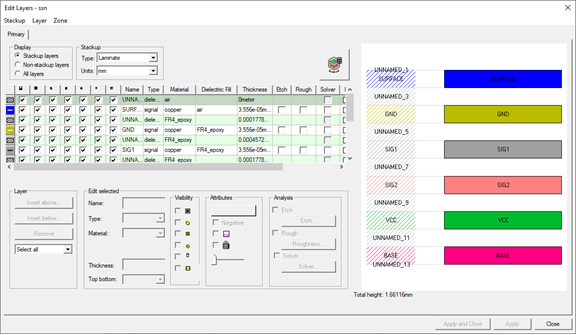
You can now use the Edit Layers window controls to insert or remove layers and configure the various layer attributes and configure stackup layers.