Editing Ansys EM Models in Workbench
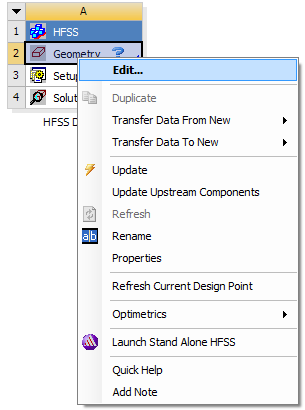
You can edit various properties and parameters of the Ansys Electromagnetics project (geometry, setup, solution, etc.) either by right-clicking the project in Workbench and selecting Edit, or by double-clicking the project.
Doing so launches the Ansys Electromagnetics desktop application and loads the project so that you can set up your project in a familiar desktop environment. Changes made to the Ansys Electromagnetics project are saved to the project instance in the Workbench project folder.