
Exporting 3D Model Files
You can export 3D models to 3D model file formats.
Supported 3D model file formats include:
| Type | Extension(s) |
| ACIS SAB | *.sab |
| ACIS SAT | *.sat |
| AutoCAD | *.dxf |
| CATIA | *.exp, *.model |
| GDSII | *.gds |
| IGES | *.iges, *.igs |
| OBJ Files (for importing models to Ensight.) | *.obj |
| Parasolid | *.x_t, *.x_b |
| STEP | *.step, *.stp |
Note: CATIA files cannot be exported with Hoops translators. CATIA export is only available with deprecated InterOp translators. To access the InterOp translators, turn on the feature from the Tools > Options > General Options > Deprecated Features window.

To export a file to a 3D model format:
- Click Modeler > Export.
The Export File window appears.
- Browse to and select a location to save your file.
- In the File Name field, name the file.
- From the Save as Type drop-down menu, select the desired 3D filetype.
- Click Save.
The file is exported to the specified location with the appropriate file format. Some file types launch an additional dialog box for specifying settings prior to export. These are described below.
ACIS SAB/SAT Files
There is one additional option for *.sab and *.sat files:
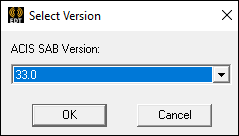
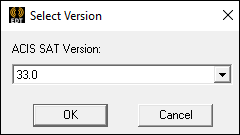
- Use the drop-down menu to select an ACIS version.
GDSII Files
There are additional options for *.gds files:
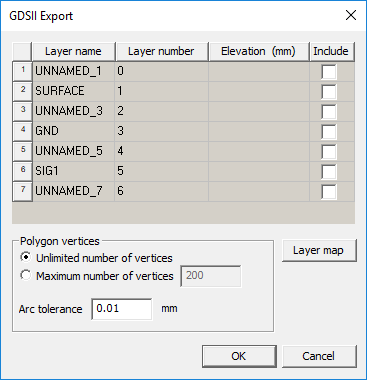
- Use the Include check boxes to select layers for export.
- Click Layer map to define a *.layermap file, if desired. This is a text file that maps GDSII layer numbers to layer names in the stackup. The *.layermap file can have the same format as the .tech file used in GDSII import, but it only needs the layer name and number. Any other information is ignored.
- In the Polygon Vertices area, select either No Limit to the number of vertices or Limit the number of vertices and specify a value.
- For Arc Tolerance, leave the default or specify a value.
Parasolid Files
There is one additional option for Parasolid files:
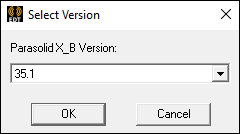
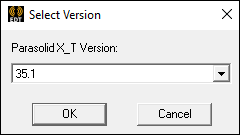
- Use the drop-down menu to select a Parasolid version.