
Choosing a Variable to Optimize
Before a variable can be optimized, you must specify that you intend for it to be used during an optimization analysis in the Properties window.
To specify that a variable is to be used during optimization:
- Navigate either to the Project Variables Properties window (Project > Project Variables), or to the Design Variables Properties window (
The Properties window appears.
- Use the tabs to navigate to the variable you want to optimize.
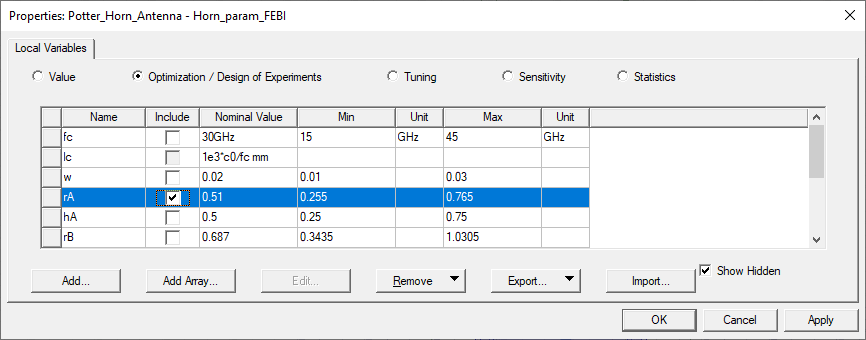
- Select the Optimization / Design of Experiments radio button.
- Use the Include check boxes to select variables for optimization.
 Important:
Dependent variables cannot be optimized.
Variables containing complex numbers cannot be used in an Optimetrics sweep or for optimization, statistical, sensitivity, and tuning setups.
The selected variable(s) will be available for optimization in an Optimetrics setup defined in the current design or project.
- If desired, use the Min and Max fields to override the default minimum and maximum values that Optimetrics will use for the variable in every optimization analysis. During optimization, the optimizer will not consider variable values that lie outside of this range.