
HFSS RADARpre ACT Toolkit
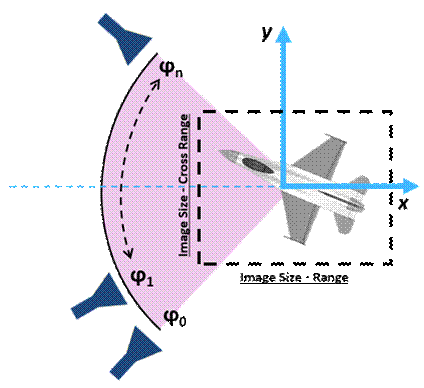
The RADARpre ACT generates the appropriate frequency sweep, plane wave incident angles and data reports used for post processing of Range Profiles, 2D Range Profiles (Waterfall) and 2D ISAR images. Specify the type of report and the desired image/range size and resolution, from these inputs the appropriate setup will be created. The results generated from this ACT can be used along with the RADARpost ACT to generate the range profiles and ISAR images.
- Down range: Defined as along the X-direction
- Cross range: Defined as along the Y-direction
- Images and Ranges are always assumed to be at Theta = 90deg, or on the XY plane.
- Look angle is defined as a rotation of Phi, starting from the Phi=0deg aligned with the X-axis.
The HFSS RADARpre toolkit is implemented in Ansys ACT.
Before launching the wizard, load an appropriate HFSS SBR+ design with one or more antennas.
To launch the Wizard:
- Click View>Extensions command to open the Extensions window.
- Click Wizard to open the ACT Start Page. If you have not loaded the RadarPre extension, use the Manage Extensions feature to do so.
- Click Launch Wizards to the show
the active Radarpre toolkit, and click to execute wizard.
The RADARpre wizard displays.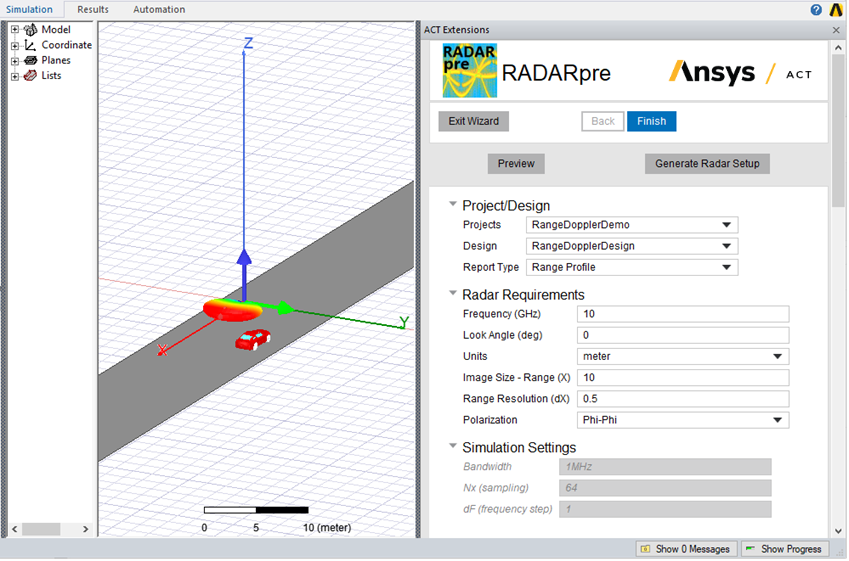
Using the RADARpre Wizard
The RADARpre Wizard contains areas for selecting the Project/Design and Radar Requirements.
- If there is more than one suitable pre-loaded design, select the Project/Design.
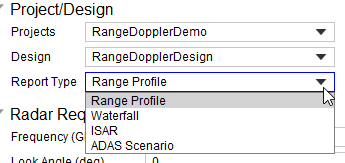
- You then select the Report type as Range Profile, Waterfall, ISAR or ADAS Scenario.
- Specify the Radar Requirements, including:
Frequency
Look Angle (deg)
Units
Image Size -Range (X0
Range Resolution (dX)
Polarization - Click Generate Radar Setup.
The RADARpre creates the Excitation, an Analysis Setup called Setup_Radar and Reports for Monostatic RSC for Real and Imaginary values.
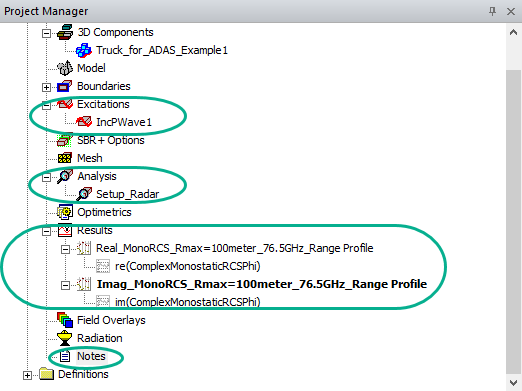
You can then run Analyze to generate a solution and populate the reports for the current settings.
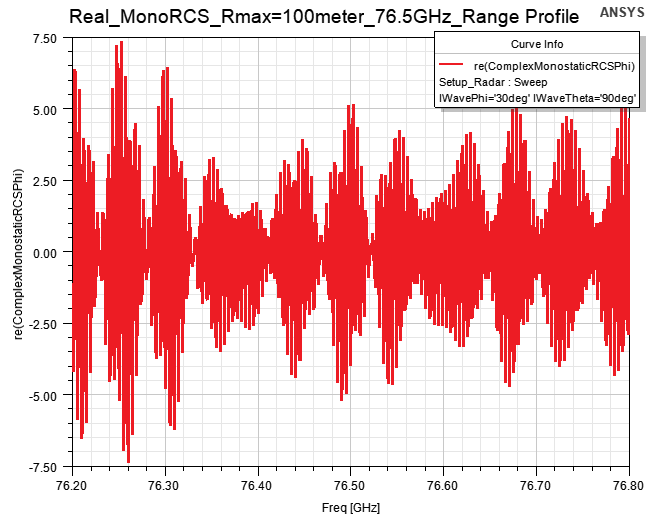
For example, here an example report for the Real_MonoRCS_Rmax=100meter_76.5GHz_Range Profile.
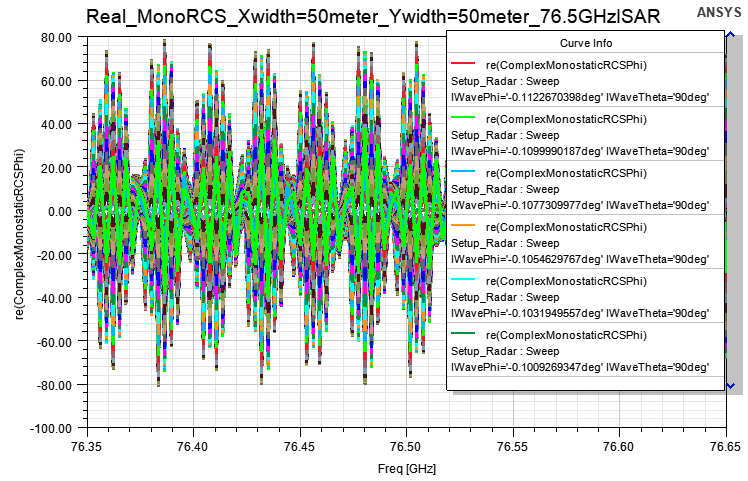
The following is an example of an ISAR report for Real_MonoRCS_Xwidth=50meter+Ywidth=50memter_76.5GHzISAR.
You can use the RADARpre ACT toolkit to generate the correct report formats for the RADARpost toolkit.