
Fields Post Processing on a Designated Array Cell
For post processing fields information for arrays, you can select an arbitrary cell and do fields post processing on that cell.
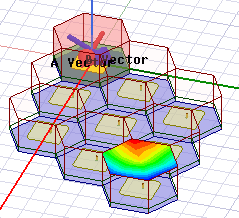
The unit cell mesh from position (1,1) will be translated to the user selected cell and fields will be plotted in the user selected cell.
The procedure is:
- Select objects in the unit cell
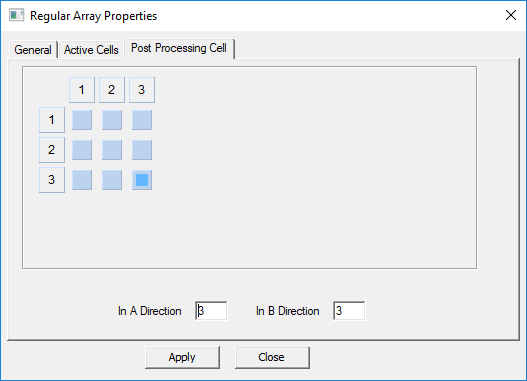
- Use the Array dialog to specify the cell to post process for fields, either by clicking on a the corresponding array position indicator in the Post Processing Cell tab in or by giving the A and B direction indices (row and column respectively).
The Field plot will be visible in the user selected cell.
Radiation fields post processing will be over the whole array.
Jsurf is calculated inside the geometry of the cell but it will be equal to 0 along cell borders.