
Assigning Radiation Boundaries
For Eigenmode, Driven Modal or Driven Terminal Designs
A radiation boundary is used to simulate an open problem that allows waves to radiate infinitely far into space, such as antenna designs. Ansys Electronics Desktop absorbs the wave at the radiation boundary, essentially ballooning the boundary infinitely far away from the structure. In HFSS, these are sometimes described as Absorbing Boundary Condition, or ABC.
A radiation surface does not have to be spherical, but it must be exposed to the background, convex with regard to the radiation source, and located at least a quarter wavelength from the radiating source. In some cases the radiation boundary may be located closer than one-quarter wavelength, such as portions of the radiation boundary where little radiated energy is expected.
Whenever additions/changes are made to radiation boundaries that affect fields, it invalidates those solutions that can possibly have fields. Meshes are not invalidated.
To assign a radiation boundary:
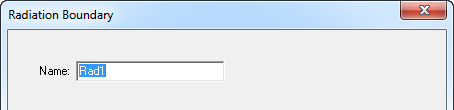
- Select a surface on which to assign the boundary and click HFSS>Boundaries>Assign>Radiation to bring up the Radiation Boundary dialog box.
Do not define a surface that cuts through an object to be a radiation boundary.
In general, do not define the interface of two internal objects to be a radiation boundary. The only exception is when one object is a perfectly matched layer boundary (PML) and the other is the PML base object.