
Generating a COM Analysis Report From the SPISim User Interface - Settings Tab
Channel operating margin (COM) analysis generates a .csv report file and binary waveform plots from analyzed data in a streamlined format. Electronic Desktop 2023 R2 and following releases support COM keywords up to V3.40 (with some experimental flags excluded, listed at the bottom of this page).
Click the Settings tab to view the current configuration of the analyzed data.
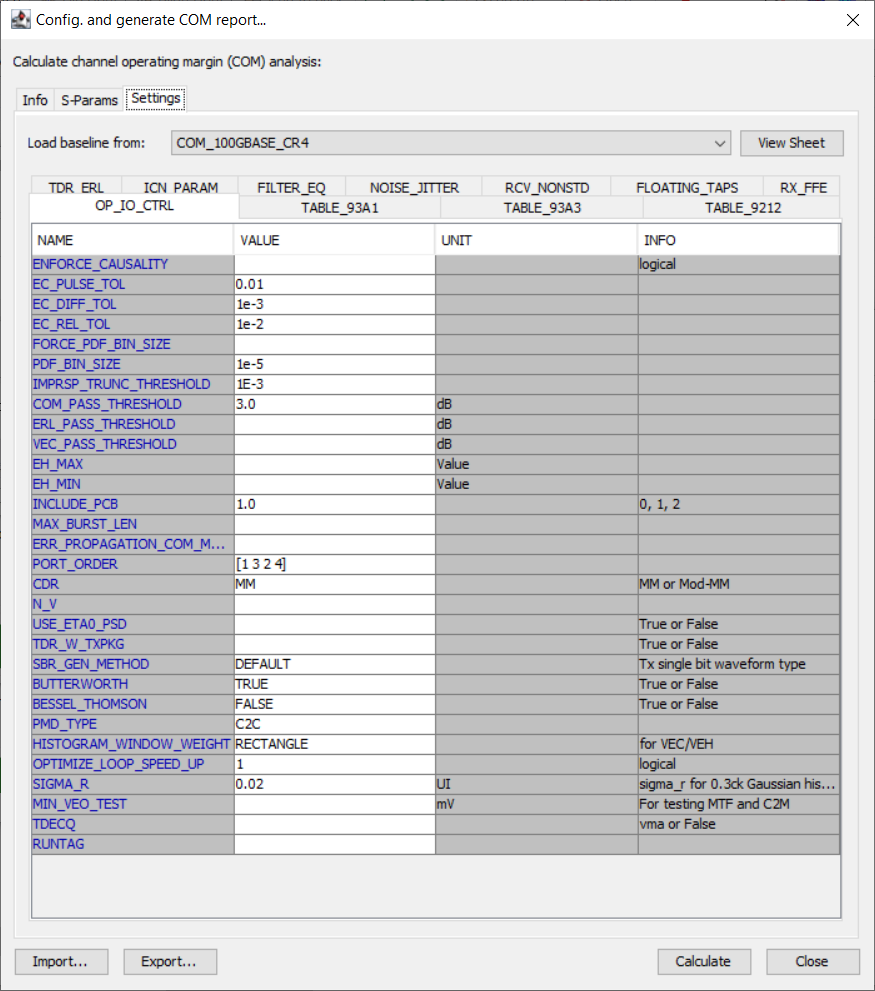
For an exhaustive list of the parameters, descriptions, and usage notes, refer to the COM Analysis Keywords reference page.
The settings are divided in eleven subtabs (i.e., TDR_ERL, ICN_PARAM, FILTER_EQ, NOISE_JITTER, RCV_NONSTD, FLOATING_TAPS, RX_FFE, OP_IO_CTRL, TABLE_93A1, TABLE_93A3, and TABLE_9212). Beside each parameter NAME is a configurable Value field, UNIT field (if applicable) and useful INFO field. These parameters include:
-
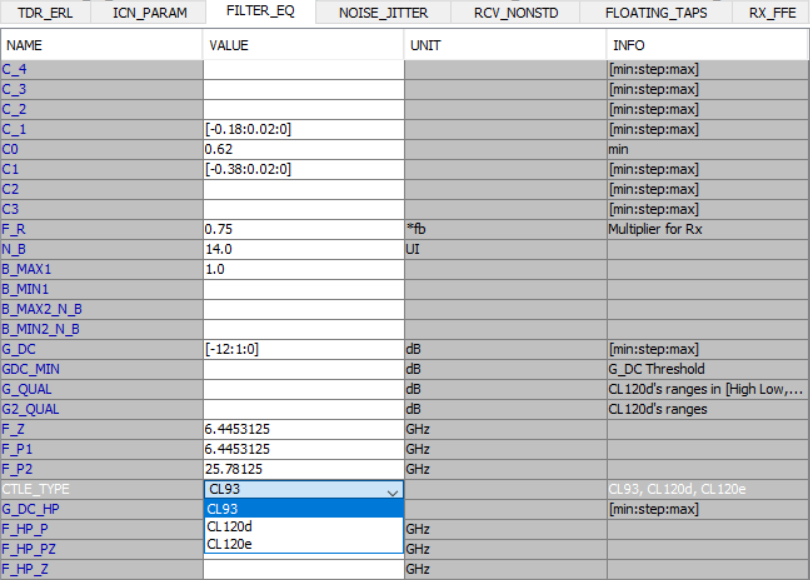
C_4 and C_3 TXFFE taps and CTLE_TYPE (on the FILTER_EQ subtab). CTLE_TYPE includes three choices on the VALUE field drop-down menu (i.e., CL93, CL120d, and CL120e)
-
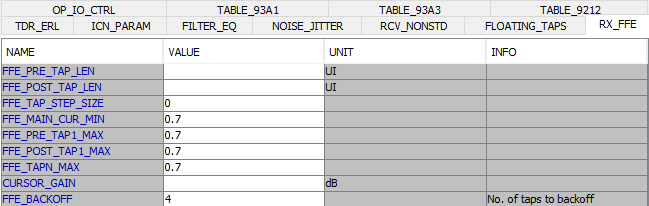
FFE_BackOff (on the RX_FFE subtab) compels RxFEE post taps to decrement up to the increment assigned in the FFE_BackOff Value field, and to scan for FFE settings based on DFE probes. The best resolution will be used as the tap selection for COM calculation (default is 4, i.e., deactivated). The RX_FFE subtab also includes parameters to optimize the pulse before DFE (i.e., FFE_PRE_TAP_LEN and FFE_POST_TAP_LEN, configurable pre and post taps for RxFFe). The subsequent parameters provide incremental and thresholds to qualify solutions (e.g., FFE_TAP_STEP_SIZE, FFE_MAIN_CUR_MIN, etcetera).
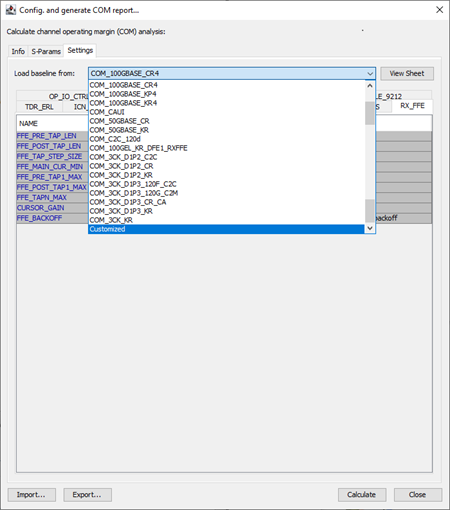
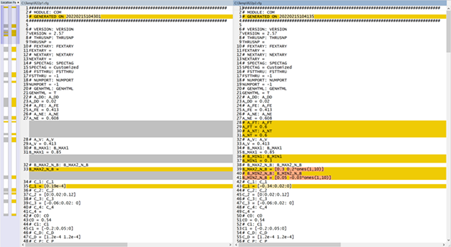
For more information, refer to the IEEE 802 LAN/MAN Standards Committee website and the IEEE P802.3ck 100 Gb/s, 200 Gb/s, and 400 Gb/s Electrical Interfaces Task Force Home Page.
AEDT/SPISim’s COM analysis flow has been upgraded from V2.95 to match IEEE’s reference implementation V3.40 (with some of experimental flags excluded).
|
Flags |
Impact |
|---|---|
|
Affect filtering applied to impulse response and COM/ERL results in general.
|
|
Affect VEO_MV/VEC_DB values, these are used in PMD type = C2M only.
|
|
Affect TDECQ output
|
|
Affect sigma_ACCM_at_tp0_mv output (AC RMS at TP0)
|
|
Affect ERL output, these are amount to trim before TDR data is used for ERL calculations.
|
|
Speed-up parameter sweeps.
|
|
Additional parameters for FFE (C2, C3) and CTLE (GDC_MIN) sweeping to find best FOM (figure of merit).
|
Locations by Tab
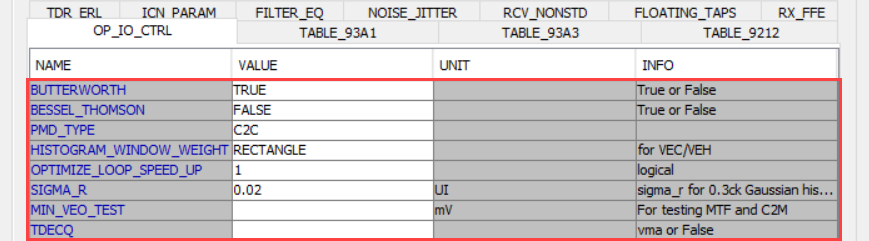
| OP_IO_CTRL |
|---|
| BUTTERWORTH |
| BESSEL_THOMSON |
| PMD_TYP |
| HISTOGRAM_WINDOW_WEIGHT |
| OPTIMIZE_LOOP_SPEED_UP |
| SIGMA_R |
| MIN_VEO_TEST |
| TDECQ |
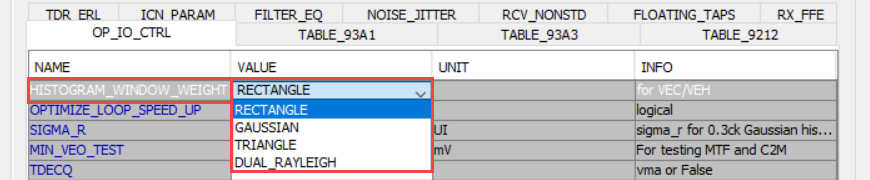
HISTOGRAM_WINDOW_WEIGHT includes RECTANGLE, GAUSSIAN, TRIANGLE, and DUAL_RAYLEIGH options.
TDECQ (Transmitter and Dispersion Eye Closure Quality) for PAM4 supports VMA mode or not (0, False):

| TABLE_93A1 |
|---|
| SAMPLES_FOR_C2M |
| T_O |
| AC_CM_RMS |
| ACCM_MAX_FREQ |

| TDR_ERL |
|---|
| AUTO_FIX |
| FIXTURE_DELAY_TIME |

| FILTER_EQ |
|---|
| C2 |
| C3 |
| GCD_MIN |


| ICN_PARAM |
|---|
| F_1 |
