
Selecting a Model to Import
The Models Library is a library of Model Components that can be imported and placed in the schematic. Components such as NPorts, IBIS buffers, SPICE netlists, State-space models, W-elements, and X-Parameter elements are created from information in external files. Also use the Import Model facility to set up dynamic links to HFSS and other solver projects.
You can invoke the Models Library on the Symbols tab, by clicking Models.
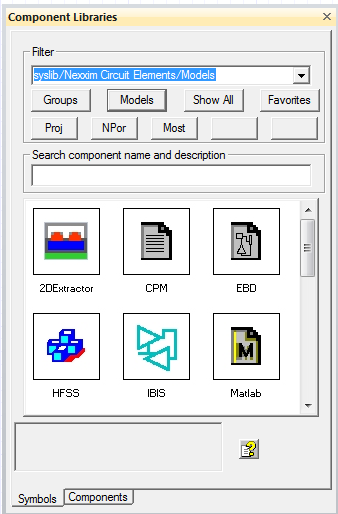
The Symbols area displays the Model components.
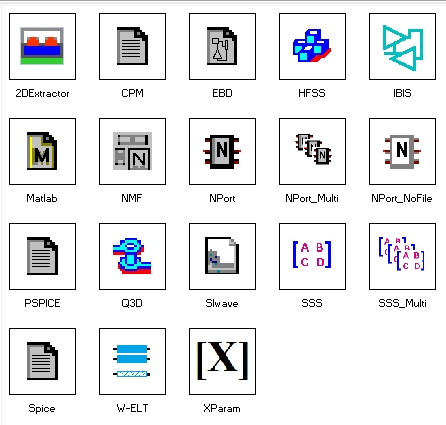
Clicking on any of these opens a window to select the file. When the file is open, if appropriate, a second window opens to retrieve additional information. Once you click OK, clicking in the schematic places the new component.
These import items can also be accessed on the Component Libraries docking window like any component library. From the Components tab, expand the Models library to display the component types.
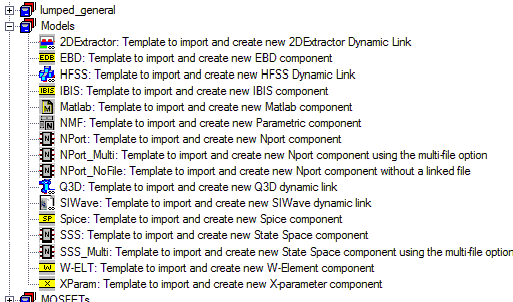
- Double-clicking any of the individual components opens a window to select a file or project of the chosen type.
- Once a component of a given type has been created, you can filter for that type to see them all (e.g., after placing several NPort components, view the Symbols tab, and type "NP" into the Filter area and select "type: NPort". This filters to show only NPort components).
For more information, see Using the Component Libraries Window.