
Viewing EMI Scanner Results
Complete these steps to view EMI Scanner results.
- From the Project Manager window, right-click EMI Setup and select Results > View Violations.
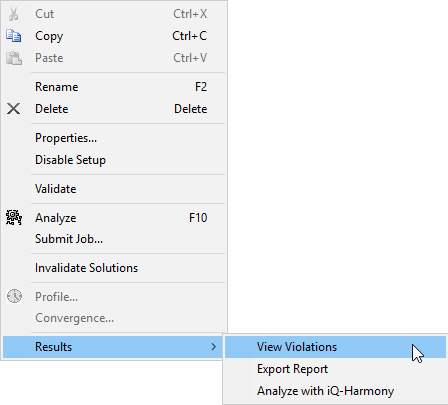
The EMI Scan Violations window opens.
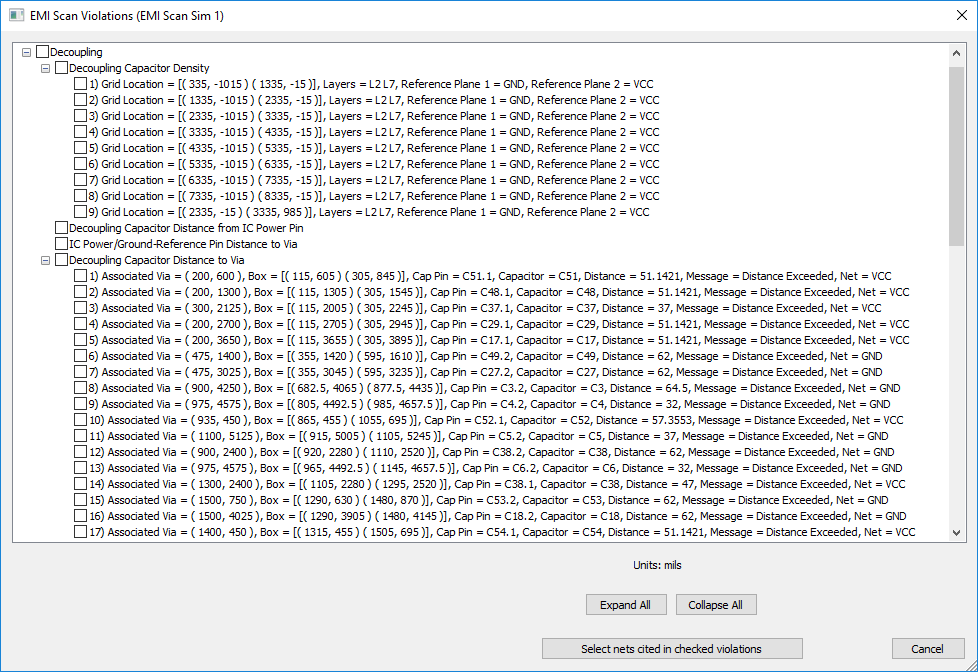
-
Violations are listed in a tree, by type. Expand and collapse items in the tree, or click Expand All/Collapse All.
- Click a violation to zoom to its location in the Design Area. Clicking a violation also populates the EMI Scan Violations window with a description of the violation.
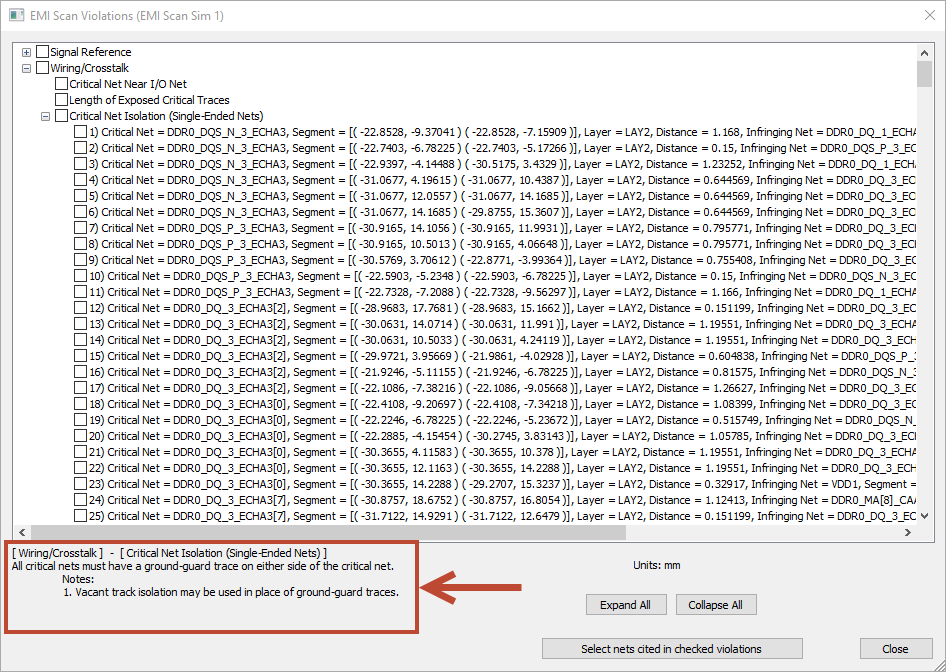
- Use the check boxes in the tree to select multiple violations.
- Click Select nets cited in checked violations to select these nets in the Modeling workspace.
Other Results Menu options include:
- Export Report – allows you to export an HTML report of EMI rules and violations.
- Analyze with iQ-Harmony – opens the Violation View Limiter window, the first step in analyzing EMI Scanner results.