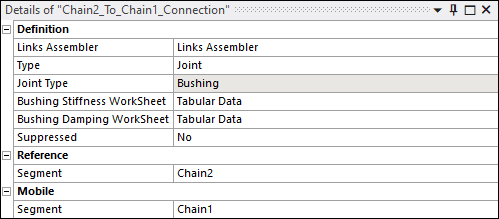
You will now create a Segment To Segment Connection object. This creates internal bushing joints between adjacent chain segments:
Select the Model element in the Project tree.
From the Motion ribbon, click and select .
Under the Motion element in the Project tree, right-click the new object and Rename it as
Chain1_To_Chain2_Connection.In the Details panel for the new
Chain1_To_Chain2_Connectionobject, click in the Links Assembler field and select theLinks Assemblerthat you created above.Verify that Type is set to
Jointand Joint Type toBushing.Under Reference, click in the Segment field (where it says Tabular Data) and select
Chain1.Under Mobile, click in the Segment field (where it says Tabular Data) and select
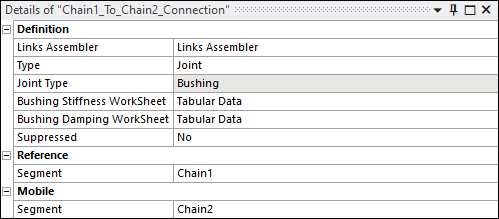
Chain2.The Details for your new object should appear as shown below:
Repeat steps 1 to 7 above to create a similar
Chain2_To_Chain1_Connectionobject, this time usingChain2as the Reference segment andChain1as the Mobile segment, as shown below: