


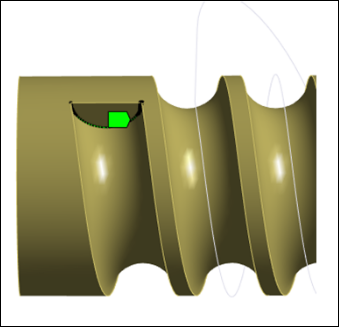
A Surface with Curveset object can be used to represent the (virtual) contact surface of the screw. This allows much faster calculation time for contact compared to using general contact between faces. You can also check the corresponding sweeping surface graphic using the button.
The parameters in the Surface with Curveset definition dialog panel are described below:
Start Curveset: You must first select a Curveset object to define the profile to be swept along the helix curve.
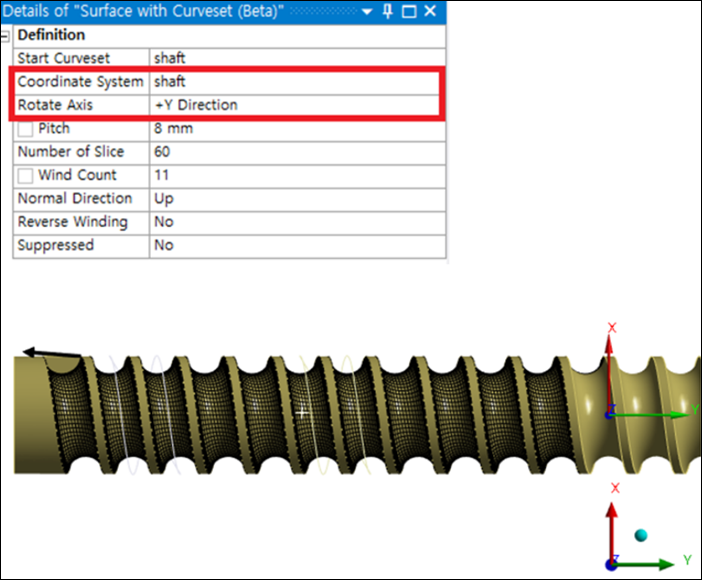
Coordinate System and Rotate Axis: Define the direction of the rotation axis of the screw.
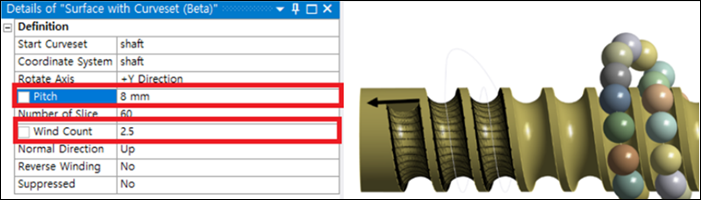
Pitch: The pitch value for the helix curve.
Wind Count: The number of turns of the helix curve.
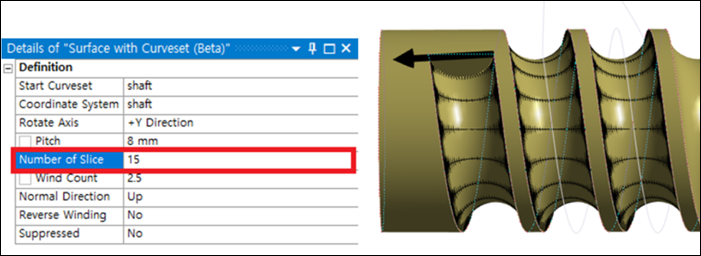
Number of Slice: You can use this parameter to control the quality of the surface mesh.
Normal Direction: This parameter refers to the normal direction to the sweeping surface. It can be selected by using the arrow shown in the graphic above.
Reverse Winding: You can use this parameter to control the direction of the wind.
