
CreateWire (Schematic Editor)
Create a wire.
| UI Access | Draw > Wire | |||||||||
| Parameters |
|
|||||||||
| Return Value | String with the format Wire@<netName>;<schematicID>;<segment index list> |
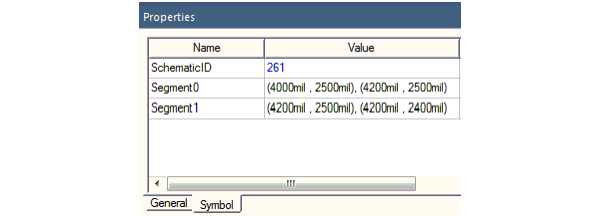
The Schematic ID can be found in the Symbol tab of the Properties window when you select the wire. The wire net name appears in the General tab. The parameter segment index list indicates the number of segments, i.e. the segment count.
| Python Syntax | CreateWire(<WireData>, <Attributes>) |
| Python Example |
|