Non-uniform Arrays
Components can now have different bounding box sizes (that is, non-uniform sizing). Cells are displayed with widths and heights proportional to their actual dimensions. In addition, HFSS supports arbitrary-sized internal air paddings, allowing flexibility for minor adjustments to existing arrays. However, to maintain array integrity, the array must remain perfectly tiled. The following restrictions apply:
- Lattice Vectors Must Be Orthogonal — All lattice vectors must maintain 90-degree angles.
- Consistent Vector Sizes for Indexed Cells — Cells sharing the same A-index must have the same A-vector size, and cells sharing the same B-index must have the same B-vector size. This ensures that the array remains perfectly tiled. This rule also applies to aircell rows/columns, meaning that users can only adjust air padding sizes when the entire row or column consists of aircells.
The process of setting up a non-uniform array resembles that for uniform arrays. After you add the candidate components to the design, they appear in the Component List, allowing you to place them into the array mask as with uniform arrays.
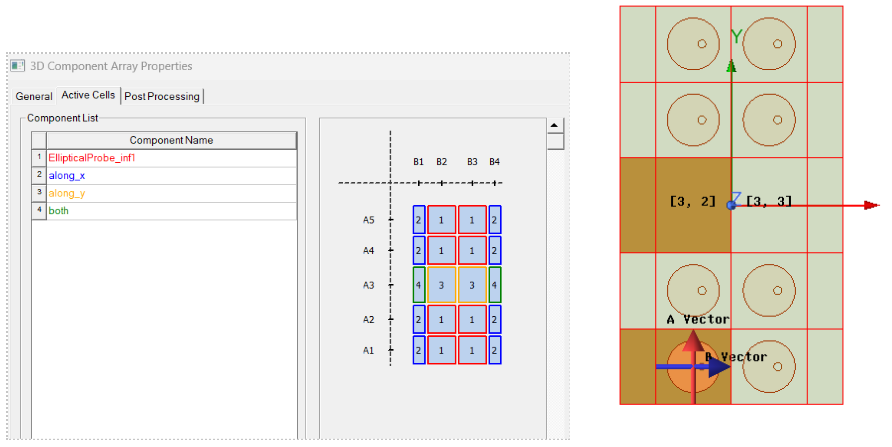
However, there are two important things to note:
An Array Must Be Perfectly Tiled — The array setup must be perfectly tiled, meaning that cells sharing the same A/B index must have the same A/B vector size. Any mismatch will trigger an error.
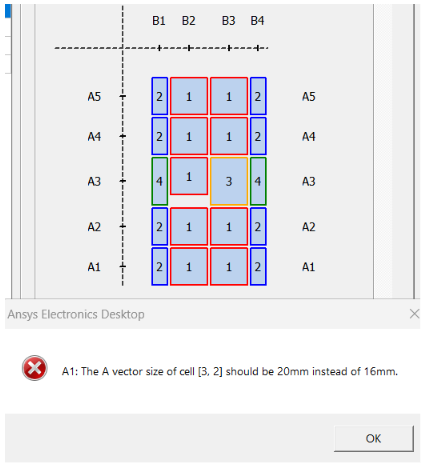
- Automatic Aircell Resizing — If an aircell is present, it will automatically resize to match the dimensions of the component cells to ensure proper alignment.
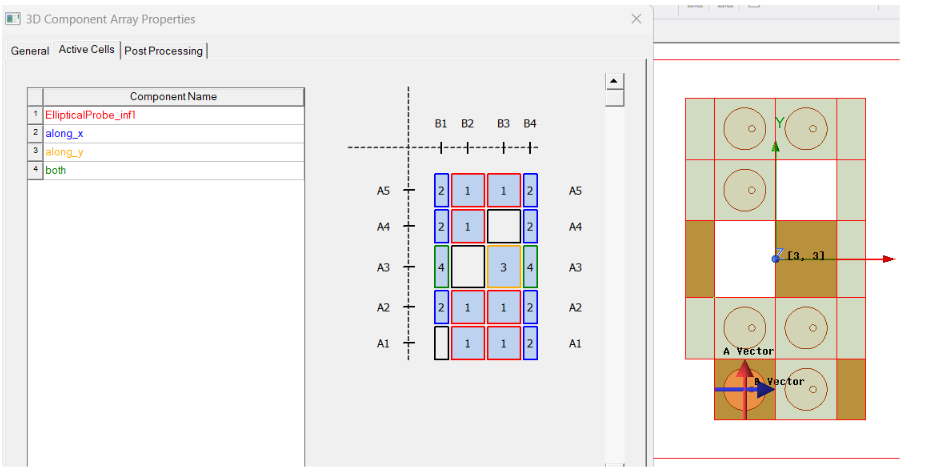
Adding Internal Air Paddings between Rows or Columns
You can use non-uniform arrays to create arbitrary-sized internal padding by using aircell rows or columns. If an entire row or column consists only of aircells, you can modify the size of that row or column.
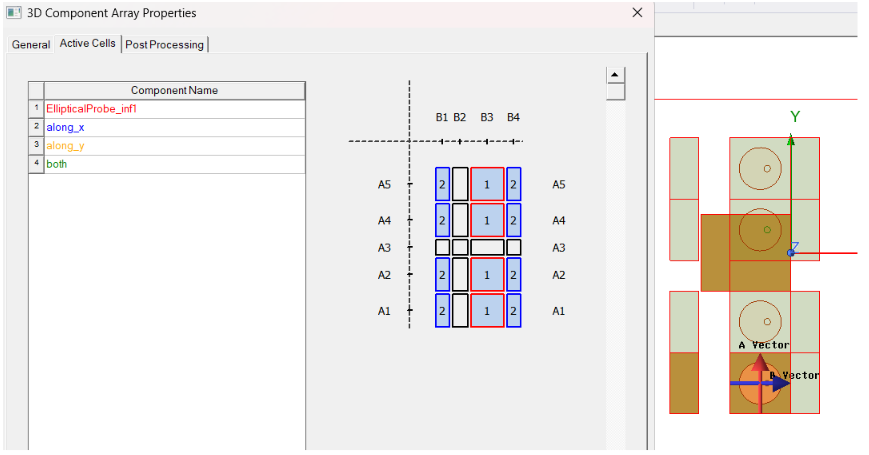
Follow this procedure to adjust the padding:
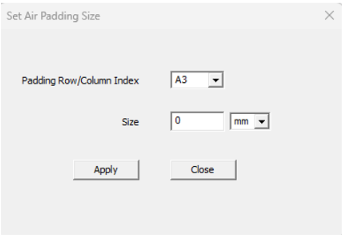
Right-click on the aircell row/column and select Modify Air Padding Size.
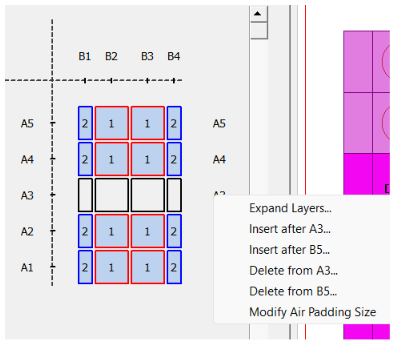
Choose the padding row or column index.
Specify the desired padding size.