Wrapping Geometry in IC Mode
The Wrap Geometry feature greatly reduces mesh complexity by replacing groups of primitives with an equivalent wrapping polygon.
Selected primitives of or within the user-specified Tolerance distance can be wrapped by completing these steps.
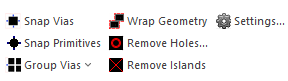
- From the Layout ribbon, click Settings.
The Geometry Simplification Settings window opens.
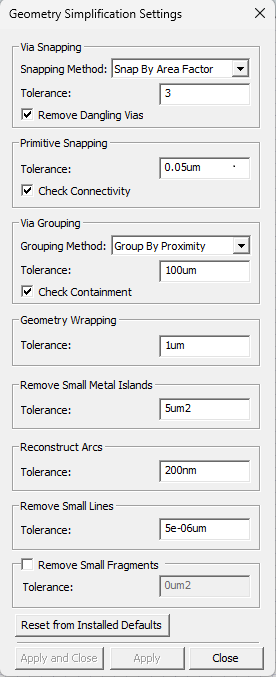
- From the Geometry Wrapping area, enter a value in the Tolerance field (e.g., 1um).
- Click Apply and Close.
- If applicable, navigate to the Layout Editor tab and the selected design geometry.
-
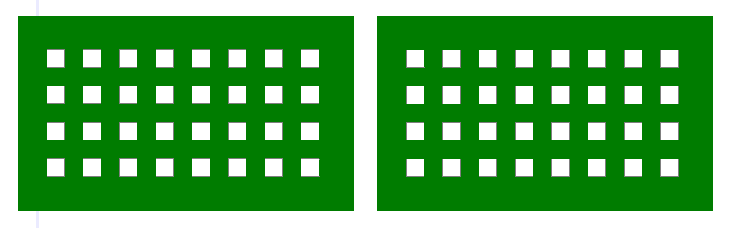
From the Layout Editor, select the appropriate geometry.
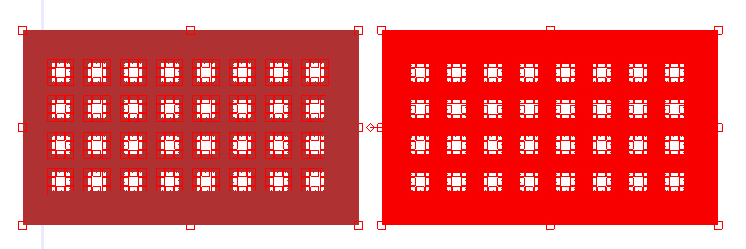
- From the Layout ribbon, click Wrap Geometry and the selected geometry is compared to the value in the Tolerance field. Every element that meets or falls within the value is wrapped