
Deembedding S-Matrices
Follow these steps to compute a deembedded or phase-rotated S-matrix.
- From the Project Manager window, expand the Project Tree and the Excitations folder. Then double-click a port to open the Edge Port Definition window.
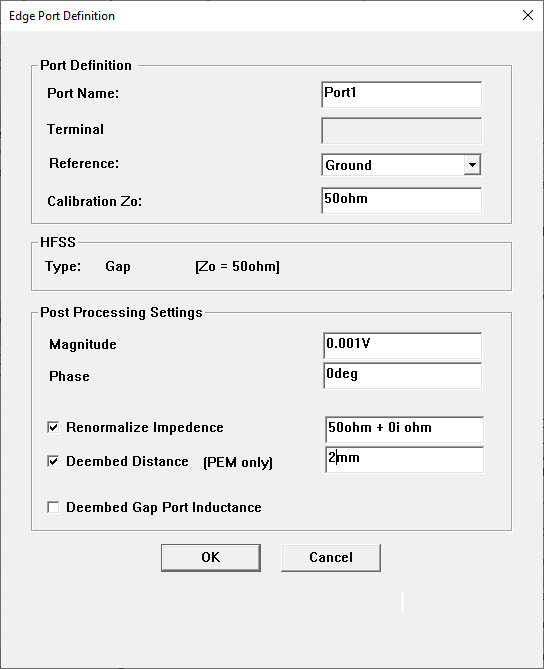
- Click Renormalize Impedence and set the amount to a non-zero value.
- Enter the length of the new transmission line in the Deembed Distance field.
- Click OK to assign that length to the selected port. The 2D Reporter automatically updates its reports to reflect the deembedded S-matrix.