
Working with Project Scripts
Scripts can be recorded to a project.
Once a script has been recorded to the project, you can manage it in the Project Manager from the Definitions folder:
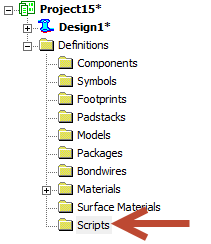
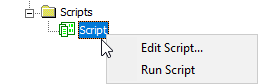
Individual scripts appear in this folder. Right-click a script to edit or run it:
You can also run project scripts from the Automation tab by selecting Run Script > Project Scripts > [Script Name].
Note:
Project scripts are stored in the project scripts library. Refer to the topic "Managing Library Contents" for information on working with libraries.