
InsertSetup [Transient]
Add a new solution setup to a Transient design
Command: HFSS>Analysis Setup>Add Solution Setup
Syntax: InsertSetup <SetupType>, <AttributesArray>
Return Value: None
Parameters: <SetupType>
Type: <string>
"HfssTransient". Must match the HFSS solution type.
<AttributesArray>
Array("NAME:<SetupName>", <Named Parameters>)
<Named Parameters>
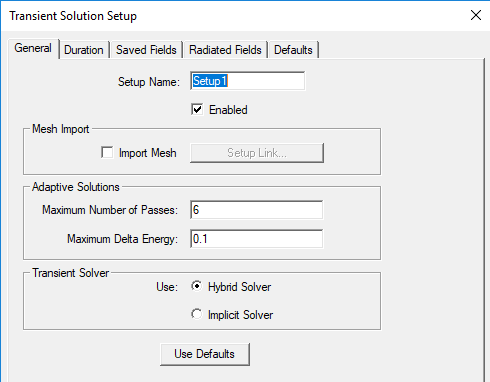
The parameters correspond to fields in the Setup dialog box. For example, here is default dialog for an HFSS Transient driven Composite Excitation setup with one excitation assigned. To see the required parameters for a specific set of parameters and their format, use the record script function, and view the resulting script in a text editor.
| Python Syntax | InsertSetup("HfssTransient", [<parameters>]) |
| Python Example |
|