CreateGlobalPort (Schematic Editor)

Create a global port and enable placement on the schematic

UI Access Draw>Global Port
Parameters
Name Type Description
<portname> String Name for this port - leave empty to use default unique name
<id> Integer ID number for the port - leave empty to use default (recommended)
<pagenumber> Integer The (1-based) page number of the schematic page this port should be added to - leave empty to use default (1)
<xval> Double X position of the object
<yval> Double Y position of the object
<angle> Double Rotation of the object, in radians. Rotations of multiples of 90 degrees are valid. Other values will be adjusted to the nearest valid angle.
<degrees> Double Rotation of the object, in degrees. Rotations of multiples of 90 degrees are valid. Other values will be adjusted to the nearest valid angle
<flip> Boolean True if mirrored
Return Value

String

PortID, the identifier that can be used for this port in script operations involving this schematic

Global port is created and the return value has the format GPort@<portName>;<schematicID>
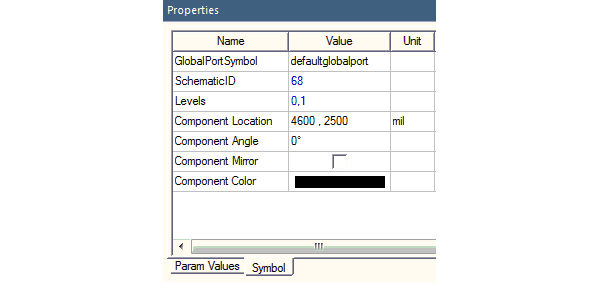
The Schematic ID can be found in the Properties window on the Symbols tab when you select the global port.


Python Syntax CreateGlobalPort(["NAME:GlobalPortProps", "Name:=", <portname>, "Id:=", <id>], ["NAME:Attributes", "Page:=", <pagenumber>, "X:=", <xval>, "Y:=", <yval>, "Angle:=", <angle>, [or "Degrees:=", <degrees> ,] "Flip:=", <flip>])
Python Example

oEditor.CreateGlobalPort

(["NAME:GlobalPortProps", "Name:=", "G_0", "Id:=", 1],_

["NAME:Attributes", "Page:=", 1, "X:=", -0.02286, "Y:=",

0.00254, "Angle:=", 0, "Flip:=", false)