CreateCircle (Schematic Editor)

Create a circle

UI Access Draw>Primitive>Circle
Parameters
Name Type Description
<CircleData> Array

Array("NAME:CircleData" _

"x:=", double, _ // X position of the object

"y:=", double, _ // Y position of the object

"Radius:=", double, _ // Radius of the circle

"LineWidth:=", double, // the width of the circle border, in meters

"Bordercolor:=", int, // the RBG value of the border color

"Fill:=", int, // the fill pattern id, 0 = hollow, 1 = solid, 2 = NEDiagonal,

3 = OrthoCross, 4 = DiagCross, 5 = NWDiagonal, 6 = Horizontal, 7 = Vertical

"Color:=", int, // the RBG value of the circle fill color

"Id:=", int), // [Opt=New id] Id for this item

<Attributes> Array

Array("NAME:Attributes", _

"Page:=", int) _ // [Opt=1] Page number (one-based)

[out,retval] string id)

Return Value String

Unique id


Circle is created and the returned value has the format SchObj@<schematicID>

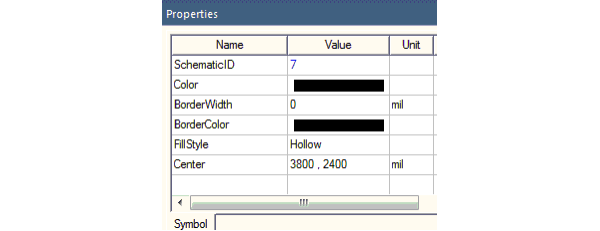
The schematic ID of the circle can be located in the Properties window on the Symbols tab.
 

Python Syntax CreateCircle()
Python Example

oEditor.CreateCircle(["NAME:CircleData", _

"X:=", -0.004572, "Y:=", -0.000508, _

"Radius:=", 0.001778, "Id:=", 12], _

["NAME:Attributes", "Page:=", 1])