
AddPinGrounds (Schematic Editor)
Adds grounds at all unconnected pins
Array("NAME:Selections", _ // PagePort Name
"Selections:=", _ // Net Name
Array("CompInst@CAP_;2;4"))
Note:
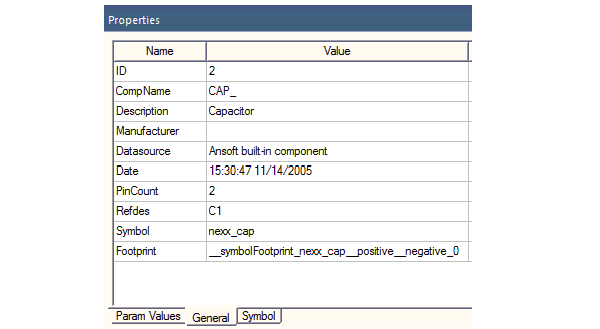
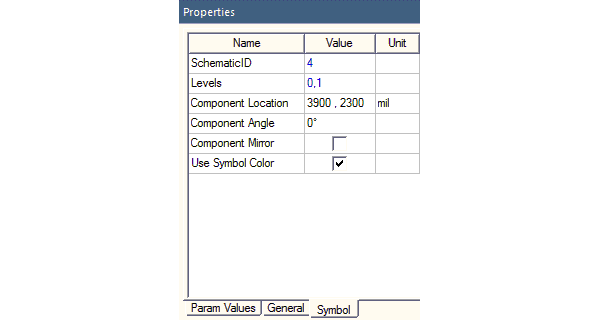
The format for Components is CompInst@<CompName>;<compInstID>;<optional schematicID>. In the documented example, <CompName> stands for the component name CAP_, <compInstID> stands for its ID 2, and <optional schematicID> is the schematic ID 4. If you select the component, the Properties window gets updated and displays its details. For example, the selected object’s component name and ID appear in the General tab of the Properties window as shown below.
To view the SchematicID click the Symbol tab.
| Python Syntax | AddPinPageConnectors () |
| Python Example |
|