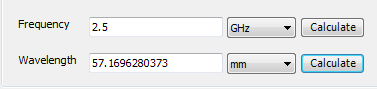
Wavelength Calculator
To use the Wavelength Calculator toolkit, click HFSS>Toolkit>WavelengthCalculator. This opens the Wavelength Calculator dialog.
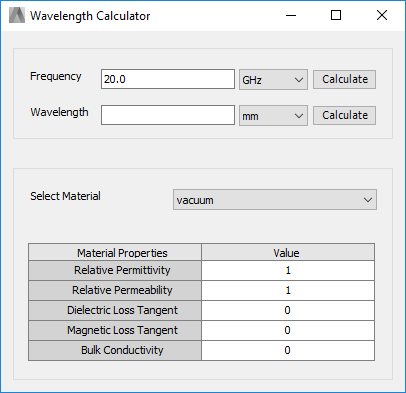
- The Frequency field initially displays the adaptive frequency from the first setup. The field is editable, and you can select the units from a pull down menu.
- The Wavelength field is initially blank, but editable, and you can select the units from the drop-down menu.
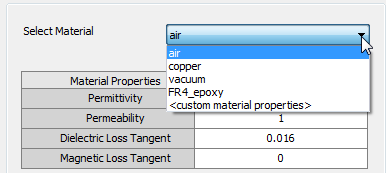
- The Select Material menu includes a list of all
materials in the current project
If you select <custom material properties>, the fields for material properties become editable.
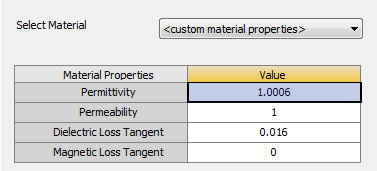
- The display shows current material values for Permittivity, Permeability, Dialectric Loss Tangent, and Magnetic Loss Tangent.
To calculate the Wavelength at the given frequency, click the Calculate button adjacent to the Wavelength units. This updates the field for the wavelength.