
Wave Port Dialog for Modal Solutions
A Wave Port dialog box with its default settings is shown below. On this dialog box you can set the number of modes, their alignment, mode polarity, the choice of characteristic impedance etc.
Note:
The option Use Wizards for data input when creating new boundaries under Tools > Options > HFSS Options >Boundary Assignment is unchecked; so the dialog box appears in the tabbed format. For more information about the appearance of the Wave Port dialog box, see HFSS Options.
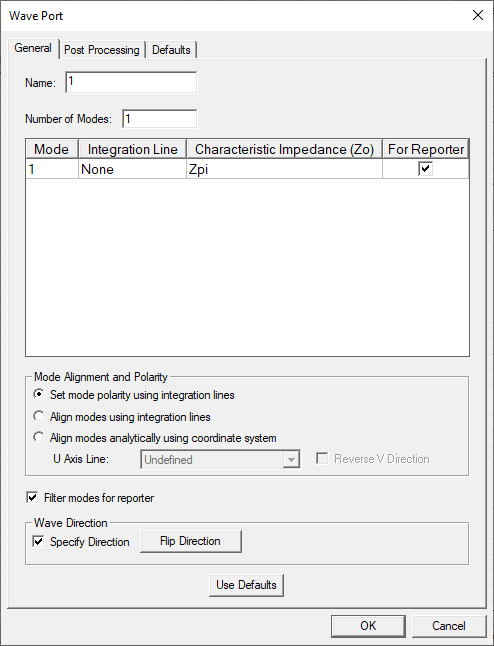
The different tabs and their sub-panels are described in the following subsections.
- General Tab
- Post Processing
- Defaults